
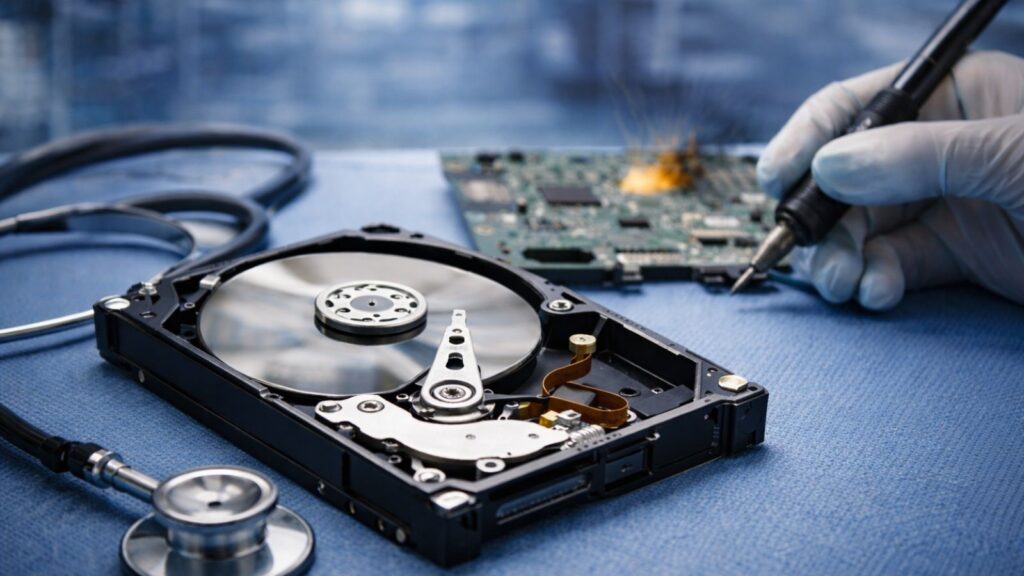
Not every dead hard drive is a lost cause. While a drive that won’t respond correctly sounds like a worst-case scenario, the data inside it is usually recoverable. If your hard drive is not blinking and is showing no signs of life, most people immediately jump to the worst possible conclusion. People might think all their photos, important work documents, years of files and memories, everything is gone forever, and there’s nothing they can do about it. But just because a drive appears to be dead, it doesn’t mean it’s fully dead or beyond saving. It looks like a complete failure on the surface might actually be a specific problem that professionals can fix.
According to The Business Research Company, the Data Recovery Services market size is expected to reach $5.2 billion by 2025. And it is expected to grow to $10.3 billion in 2030 at a compound annual growth rate (CAGR) of 14.3%.
What Is a “Completely Hard Drive”?
A completely dead hard drive is a non-functioning storage unit that cannot be recognised by a computer’s BIOS or operating system. When you first realise your hard drive is not working, it’s natural to get frightened because it could contain your years of hard work. But before you decide that everything is lost forever, you need to take a breath and relax.
Most users describe a hard drive when:
- It’s not detected by the system.
- It doesn’t spin or power on
- It makes no sound at all
- Files are completely inaccessible
But technically, different kinds of failures can cause a drive to seem dead, and some of those problems are fixable without losing your data. These issues can be repaired by professionals through their hard drive recovery services using the right approach.
The 3 Kinds Of Hard Drive Failures
1. Logical failure (best-case scenario)
This happens when:
- Files are deleted
- The system is corrupted
- The drive is accidentally formatted
This data usually remains; it is just not as available normally.
2. Mechanical Failure (severe, can recover)
This includes:
- Clicking sounds
- Spinning issues
- Head crashes
These are professional tools; nevertheless, recovery can be obtained in most cases.
3. Electricity Failure
This is when:
- The drive doesn’t power on
- There’s no response at all
- Damage to circuit boards takes place.
This is what the majority of people refer to as a totally dead drive. But from here, hard drive recovery is also frequently possible.
Did You Know?
Around 70–80% of hard drive failures are recoverable with professional help. Many failures are due to electronics or firmware issues, not data destruction.
Why A Dead Drive Doesn’t Always Mean Lost Data
In this case, the most important point is: Data is stored on platters (physical disks within the drive) that hold the data.
Even if:
- The motor fails
- The circuit board is damaged
- The drive won’t power on. The data may still exist on those platters.
…the data may still exist on those platters.
This is why professionals in the recovery of hard drives emphasise retrieving data, not fixing the drive permanently.
What Professionals Actually Do During Hard Drive Recovery
Most people get caught off guard by this section. Recovery is not the process of getting the drive turned back on in a regular list.
It’s about:
- Identifying the kind of failure.
- Replacing or repairing damaged parts.
- Accessing the data directly
- Extracting it safely
In other instances, they might:
- Changing the PCB (circuit board).
- Open the drive using cleanroom conditions.
- Swap internal components
- Delineate data clone bit by bit.
That is why a DIY recovery is hardly effective in cases of a dead drive.
What You Should Never Do With A Dead Hard Drive
This is where the majority of the people create problems. To successfully recover a hard drive, be wary of the following errors:
- Do not leave it in and out.
- You are liable to break internal parts even more.
- DO NOT open the drive by yourself.
- Dust particles can also destroy data.
- Do not start the automatic recovery software.
- Hardware failures cannot be corrected using software.
- Don’t ignore early warning.
Such a state of being virtually dead is usually the most favourable period to salvage information.
Signs Your “Dead” Drive Might Still Be Recoverable
You may think you have lost your drive, but you have a good chance of recovering when:
- It suddenly stopped working (no gradual failure)
- It is not literally burned or broken.
- It was not exposed to extreme damage (fire, flood)
- The problem is electrical or program-related.
Surprisingly, the success rates of recovery of hard drives are significantly high in such situations.
HDD vs SSD: Is There a Difference?
Yes. And a lot.
HDD (Hard Disk Drives)
- Easier to recover
- It is possible to replace physical components.
- Information is usually unharmed.
SSD (Solid State Drives)
- More difficult and quicker to recoup.
- Data can disappear due to the TRIM function
- More complicated progress of recovery.
So if your “dead” drive is an HDD, your chances are better.
When Should You Call A Professional?
Immediately. Not having tried 10 things. No, not because of random YouTube tutorials. The sooner you do something, the better your chances of recovering.
Seek medical attention when:
- The drive is now unidentified.
- It won’t power on.
- You are listening to strange noises.
- Data is critical.
Why Mobile Hard Drive Recovery Is A Game-Changer
Something the majority leaves out in thought is this:
Going out with your device is risky + delay.
Using mobile computer repair services, you will receive:
- Faster diagnosis
- On-site inspection
- None of the unwarranted handling or transport damage.
- Immediate next steps
Final Thoughts: Is Recovery Possible?
Yes, many times, it is. A completely dead hard drive does not always mean permanent loss.
Frequently Asked Questions (FAQs)
Q.1. Can you retrieve files from a formatted hard drive?
Yes, recovery is possible when the hard drive was formatted in a quick manner, as the information was not wiped off. However, if there were a complete format, recovery would prove difficult, if not impossible.
Q.2. Will the use of data recovery software harm a hard drive that is already physically damaged?
It depends. Data recovery software can only help with logical issues, and its use in physically damaged hard drives would mean damaging them even further. Professional help should always come first in this case.
Q.3. What does hard drive recovery cost?
This varies from one issue to another. There are some damages that entail simple logical recovery and would only cost a little more, while other problems might require extensive physical repairs.
Q.4. Is it possible to retrieve all data from a broken hard drive?
Not always, as it all depends on the extent of damage done, along with other considerations like the presence of overwritten material. Quick action on your part might increase your chances of success.
Q.5. Is there any difference between logical and physical hard drive failure?
Yes. Logical failure is caused by software-related issues like corruption or accidental deletion, while physical failure is caused by hardware damage like broken components and scratched platters.