
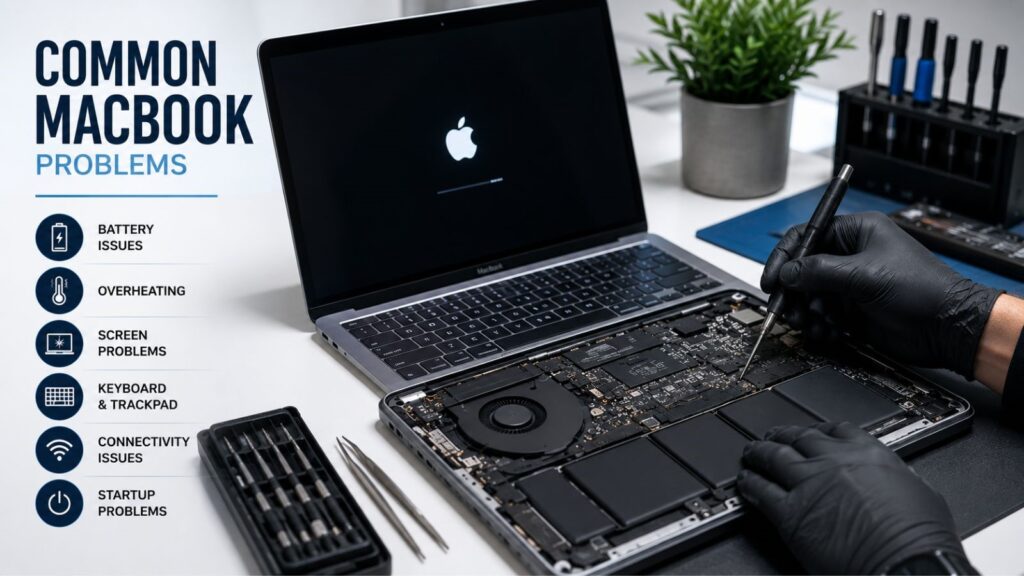
Common MacBook problems can quickly turn a productive day into a frustrating experience. From sudden battery drain and overheating to flickering screens and startup failures, MacBook users often encounter issues that affect performance, reliability, and workflow. While Apple devices are known for their premium quality and sleek design, they are still vulnerable to wear and tear, software conflicts, accidental damage, and aging hardware over time.
Many users try DIY fixes after watching online tutorials, but MacBooks are complex machines with delicate internal components that require specialized tools and expertise. A minor mistake during self-repair can lead to expensive damage or even permanent data loss. That’s why professional repair services are often the safest and most effective solution.
Whether you own a MacBook Air or MacBook Pro, understanding the most common issues and how professionals repair them can help you make smarter decisions about maintenance and repairs. Expert technicians not only fix visible symptoms but also diagnose underlying problems that may worsen later if left untreated.
In this guide, we’ll explore the most frequent MacBook issues users face, explain their causes, and discuss how professional technicians resolve them efficiently. From battery replacement and overheating fixes to data recovery and logic board repairs, this blog covers everything you need to know to keep your MacBook running smoothly.
Battery Draining Too Quickly
One of the most common complaints among MacBook users is rapid battery drain. You charge your device fully, only to see the battery percentage drop dramatically within a short time. This issue becomes more common as MacBooks age, especially after years of charging cycles.
MacBook batteries use lithium-ion technology, which naturally degrades over time. However, several other factors can accelerate battery wear, including:
- Excessive heat exposure
- Constant overcharging
- Resource-heavy applications
- Faulty charging accessories
- Background processes consume power
- Outdated macOS versions
Signs your battery may need professional attention include:
- Sudden shutdowns even with battery remaining
- “Service Battery” warnings
- Swollen battery causing trackpad issues
- Overheating during charging
- Extremely short battery life
Professional technicians begin by performing a detailed battery health diagnostic. They analyze cycle counts, charging efficiency, temperature behavior, and power usage patterns. If the battery is significantly degraded, a MacBook battery replacement is recommended.
Professionals also inspect the charging port, motherboard power circuits, and adapter compatibility to ensure the issue isn’t caused by another hardware failure. In some cases, technicians optimize system settings and remove background applications draining battery resources unnecessarily.
Replacing a MacBook battery is not as simple as replacing batteries in older laptops. Modern MacBook batteries are securely attached using industrial adhesive and are located near delicate components. DIY removal can puncture the battery or damage the logic board.
After replacement, technicians calibrate the new battery and run performance tests to confirm charging stability and long-term efficiency. Professional installation ensures safety, reliability, and improved battery performance.
Overheating and Loud Fan Noise
MacBooks are engineered with advanced cooling systems, but overheating remains one of the most common MacBook problems users experience. Excessive heat not only affects comfort during use but can also reduce performance and shorten the lifespan of internal components.
Common causes of overheating include:
- Dust buildup inside cooling vents
- Faulty or clogged cooling fans
- Running multiple heavy applications simultaneously
- Dried thermal paste
- Outdated software
- Poor ventilation during use
When a MacBook overheats, users often notice:
- Loud fan noise
- Slow performance
- Sudden shutdowns
- Hot surfaces near the keyboard
- Lag while multitasking
A professional MacBook overheating fix begins with internal inspection and cleaning. Dust accumulation inside the cooling system blocks airflow and traps heat. Technicians carefully disassemble the MacBook and remove debris using anti-static tools and compressed air.
They also inspect cooling fans for wear or damage. If the fans are malfunctioning, they are replaced with compatible components. Another critical repair involves replacing old thermal paste between the processor and the heat sink. Over time, thermal paste dries out and loses its ability to transfer heat efficiently.
Software optimization is equally important. Technicians identify applications consuming excessive CPU resources and optimize startup processes and system settings to reduce heat generation.
After repairs, stress testing ensures the MacBook maintains safe operating temperatures under heavy workloads. Proper cooling restoration improves performance, reduces fan noise, and protects internal hardware from long-term heat damage.
Slow Performance and Freezing
A slow MacBook can make even simple tasks frustrating. Applications take longer to open, files load slowly, and the spinning rainbow wheel appears constantly. These performance issues can affect productivity and user experience significantly.
Several factors contribute to sluggish MacBook performance:
- Nearly full storage drives
- Aging SSDs or hard drives
- Too many startup applications
- Malware or corrupted files
- Outdated operating systems
- Insufficient RAM
Professional slow MacBook repair starts with comprehensive diagnostics. Technicians analyze processor performance, storage health, RAM usage, and software stability.
One common issue is insufficient free storage space. macOS requires free space for temporary files and smooth operation. Professionals remove junk files, clear cache data, and optimize storage usage.
If the storage drive is failing, technicians may recommend replacing it with a faster SSD. SSD upgrades dramatically improve boot times, application performance, and overall responsiveness.
Software cleanup also plays a major role. Professionals remove unnecessary startup programs, eliminate malware, and update outdated software. In compatible models, RAM upgrades may also improve multitasking performance.
After repairs and optimization, the MacBook is tested extensively to ensure smooth performance and system stability.
Cracked or Flickering Screen
A damaged display is one of the most noticeable and common MacBook problems. Whether caused by accidental drops, pressure damage, or hardware failure, screen issues can make your device difficult or impossible to use.
Common screen problems include:
- Cracked display glass
- Flickering screens
- Dead pixels
- Horizontal or vertical lines
- Black screens
- Uneven brightness
Professional MacBook screen repair begins with a complete display diagnostic. Technicians determine whether the issue is related to the LCD panel, backlight system, graphics processor, or display cable.
For physically damaged displays, professionals replace the screen assembly using high-quality replacement parts. Since MacBook screens are extremely thin and delicate, precise handling is essential during installation.
Flickering or black screens may indicate loose connectors or logic board issues. In advanced cases, technicians perform micro-soldering repairs on damaged circuits.
Once repairs are complete, the screen undergoes testing for brightness consistency, color accuracy, and resolution quality to ensure flawless performance.
Keyboard and Trackpad Problems
Keyboard and trackpad issues are another common MacBook problem and source of frustration for MacBook users. Sticky keys, unresponsive typing, and inconsistent trackpad behavior can significantly affect usability.
These issues are often caused by:
- Dust and debris buildup
- Liquid spills
- Worn key mechanisms
- Swollen batteries pressing against components
- Internal cable damage
Professional MacBook keyboard repair involves a detailed inspection of the keyboard assembly and internal connectors. Technicians clean debris beneath keys and test responsiveness carefully.
If the keyboard mechanism is damaged, the entire top case assembly may need replacement. Because many MacBook keyboards are integrated into the chassis, repairs require advanced disassembly skills.
Trackpad problems are also professionally diagnosed. In some cases, battery swelling underneath the trackpad creates clicking or responsiveness issues.
Liquid damage is especially dangerous because corrosion can continue spreading long after the initial spill. Professionals clean affected areas using specialized solutions to prevent long-term damage.
Wi-Fi and Connectivity Issues
Reliable internet connectivity is essential for work, communication, and entertainment. Unfortunately, some MacBook users experience unstable Wi-Fi connections, slow speeds, or random disconnections.
Common causes include:
- Corrupted network settings
- Outdated macOS software
- Faulty Wi-Fi modules
- Router compatibility issues
- Bluetooth interference
Professional MacBook Wi-Fi troubleshooting begins with testing the device on multiple networks. Technicians evaluate wireless hardware performance, signal strength, and software settings.
They may reset network preferences, reinstall drivers, or update the operating system to resolve compatibility problems. If the Wi-Fi hardware is defective, technicians replace the wireless card or related components.
Professionals also optimize router settings and recommend network adjustments for improved stability and speed.
Liquid Damage Problems
Liquid spills are among the most serious accidents a MacBook can experience. Water, coffee, tea, or soda can quickly corrode internal components and create widespread hardware damage.
Common symptoms after liquid exposure include:
- MacBook not turning on
- Keyboard malfunction
- Charging issues
- Flickering display
- Overheating
- Random shutdowns
Professional MacBook liquid damage repair should begin immediately after exposure. The longer moisture remains inside the device, the greater the risk of corrosion.
Technicians carefully disassemble the MacBook and inspect each component for liquid residue. Specialized ultrasonic cleaning equipment removes corrosion and contaminants safely.
Damaged components such as batteries, keyboards, charging circuits, or logic board parts may need replacement. In severe cases, technicians perform advanced micro-soldering repairs to restore damaged circuitry.
Professionals also prioritize data recovery whenever possible, helping users retrieve valuable files even if the MacBook itself cannot be fully restored.
Startup and Boot Failure Issues
A MacBook that refuses to turn on can be alarming. Some devices display a black screen, while others show flashing folder icons or fail to respond entirely.
Common causes include:
- Corrupted macOS files
- Failed SSD storage
- Faulty logic boards
- Charging circuit issues
- Battery failure
- Power supply damage
A professional MacBook won’t turn on. Fix starts with full diagnostic testing. Technicians examine power rails, charging systems, batteries, and internal circuits.
Software-related startup issues may be repaired by reinstalling macOS, restoring system files, or repairing disk errors. Hardware failures often require component-level repairs or replacement.
Logic board repairs are especially complex and require advanced soldering expertise. Professional technicians use microscopes and precision equipment to repair damaged circuits safely.
Once repairs are complete, repeated startup testing ensures reliable operation and stable performance.
Why Professional Repairs Matter
While DIY tutorials are popular online, MacBooks are highly sophisticated devices that require specialized knowledge and tools. Professional repairs offer several important advantages.
Accurate Diagnostics
Professionals identify the true cause of problems instead of relying on trial and error.
Genuine Replacement Parts
High-quality compatible components improve reliability and longevity.
Specialized Equipment
MacBook repairs often require precision tools, diagnostic software, and advanced soldering equipment.
Data Protection
Professionals prioritize file safety and can often recover important data during repairs.
Faster Repairs
Experienced technicians can diagnose and repair issues far more efficiently than most DIY attempts.
Warranty Support
Many repair services provide warranties on labor and replacement parts.
Professional service helps reduce risk, improve repair quality, and extend the lifespan of your MacBook by solving common MacBook problems.
Preventing Future MacBook Problems
Preventive maintenance can significantly reduce the likelihood of expensive repairs for common MacBook problems.
Here are some essential MacBook maintenance tips:
- Keep macOS updated regularly
- Avoid blocking cooling vents
- Use original or certified chargers
- Keep liquids away from your workspace
- Maintain free storage space
- Back up files frequently
- Clean dust from the keyboard and vents
- Avoid exposing the MacBook to extreme heat
Routine maintenance helps your MacBook stay reliable, efficient, and secure over the long term.
Conclusion
Common MacBook problems can range from minor annoyances to major hardware failures, but professional repair services provide reliable solutions that restore performance and extend device lifespan. Whether you’re dealing with overheating, screen damage, startup failures, battery issues, or liquid damage, experienced technicians have the tools and expertise needed to diagnose and repair the issue properly.
Ignoring early warning signs often leads to more expensive repairs later. Seeking professional help quickly can prevent small problems from turning into major disruptions.
Professional Computer repair services also provide peace of mind through accurate diagnostics, quality replacement parts, data protection, and warranty-backed support. Instead of risking additional damage with DIY fixes, trusting experts ensures your MacBook receives the proper care it needs.
If your MacBook is showing signs of trouble, don’t wait for the issue to get worse. Professional technicians can restore your device quickly and efficiently, helping you get back to work, creativity, and everyday tasks without interruption.