
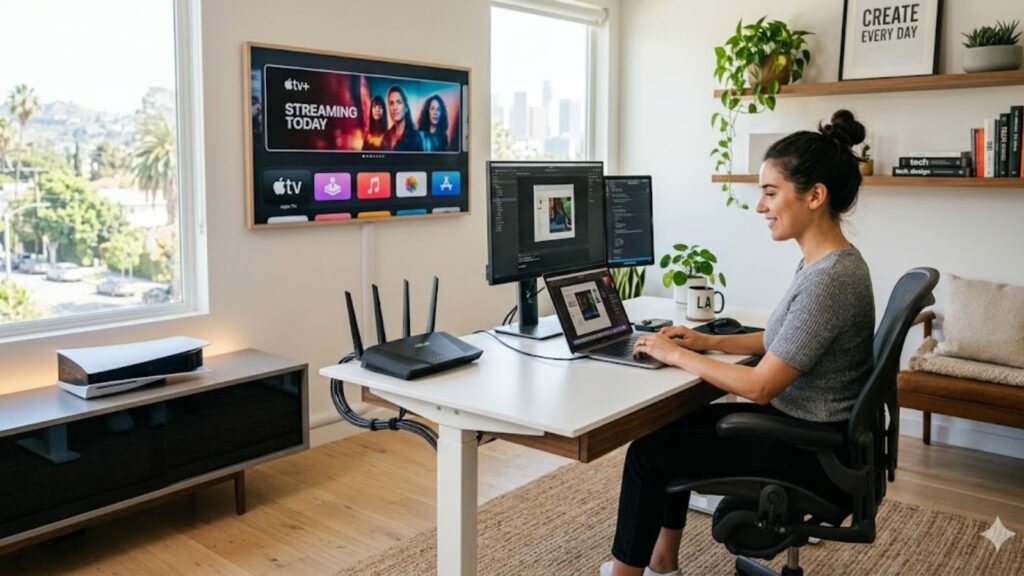
The Internet today is not limited to basic website browsing or checking emails. It has to support a lot of heavy usage at the same time. One person may be attending a Zoom call, while another is streaming 4K content, and someone else is playing online games at the same time in the same room. Oh…….and you can add TV, doorbell cameras, phones, tablets, smart lights, and everything else while we’re at it. When you have countless devices connected, an old or weak network might not be able to pull it off. A properly planned home network setup can fix these problems so you can get a buffering-free experience: no dropped video calls, lag while gaming, and areas in the house with no Wi-Fi signals.
According to experts at Mobile Computer Repair in LA, the actual issues usually are:
- Router placed in a bad spot
- Too many devices fighting on the same Wi-Fi band
- Old routers or equipment
- The whole network was never built to handle so many devices
This blog explains how we build a strong, reliable home network setup that works equally well for gaming, streaming, and remote working. Plus, our packages also offer better security, faster speed, and strong Wi-Fi coverage everywhere in your house.
Start With the Right Internet Service
No matter how expensive and advanced your router is, it can’t solve the problem if your actual internet service from the provider is slow or unreliable. The foundation of a good home network setup starts before even purchasing it. You first need to pick the right internet plan that can handle many people and devices at the same time.
Did you know?
Verizon’s 2025 Consumer Connections Report says the average household now uses 18 connected devices and consumes 656 GB of data per month.
As low internet can lead to:
- Frozen video calls
- Delayed file uploads
- Unstable remote desktop sessions
- Poor online collaboration
Choose an Internet Speed That Matches Your Usage
A lot of people don’t have any idea just how much internet speed (bandwidth) their household is consuming every day. All these things use your internet at the same time:
- Streaming platforms (Netflix, YouTube, Disney+, 4K content)
- Cloud backups ( phones and computers automatically back up phones and files)
- Smart devices (cameras, doorbells, lights, thermostats, TVs)
- Video conferencing (Zoom, Meet, Team calls)
Here is the basic plan for a practical home network setup:
| Activity Level | Recommended Download Speed | Recommended Upload Speed |
| Small household | 150 Mbps | 30 Mbps |
| Medium household | 300 Mbps | 50 Mbps |
| Heavy streaming/gaming | 500 Mbps+ | 75 Mbps+ |
Most people only focus on the download speed, but upload speed is just as important. If someone works from home, their upload speed becomes very important because on Zoom calls or Microsoft Teams calls, they need a good upload speed so their video and audio come out clear to other people. When uploading files to cloud storage (Google Drive, Dropbox, OneDrive), a slow upload speed makes everything take forever. Sharing screams, sending large files, or working on cloud-based programs all depend heavily on strong upload performance.
Why Fiber Internet is the Best Choice
Among all the different types of internet connections available, fiber-optic is widely regarded as the best and most reliable option for creating a strong, high-performance home network setup. Unlike older internet technologies, fiber offers:
- Lower latency
- More stable performance
- Faster uploads
- Better consistency during busy hours
One of the greatest benefits of fiber is symmetrical speeds. That means upload speed tends to be approximately the same as download speed, which is best suited for:
- remote work
- cloud backups
- live streaming
- online gaming
- video conferencing
When a home relies more on internet reliability than on fiber would be an excellent choice.
Cable Internet Can Still Work Well
Fiber is not available to all areas, and cable internet can be a great service for many homes. Cable Internet may have the following problems, however:
- Slower speed during peak usage hours
- Higher latency
- Inconsistencies in urban areas due to traffic jams.
For households with many users streaming and working simultaneously, upgrading your home network setup becomes much more significant.
Choose the Right Hardware for a Stable Home Network Setup
The internet connection is not enough. The effectiveness of that internet connection to your devices will depend on the equipment you have in place.
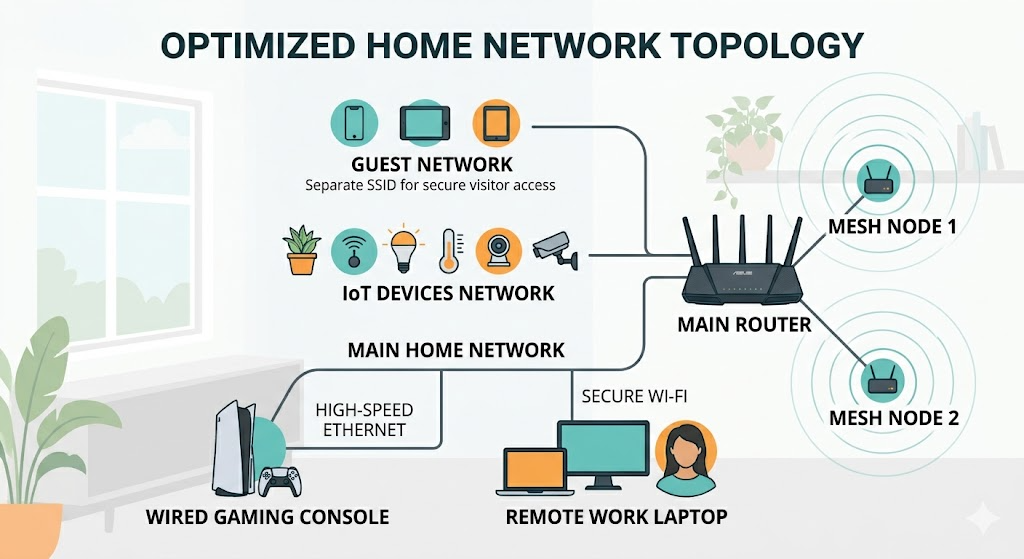
1. Avoid ISP Modem/Router Combos When Possible
Many Internet Service Providers install combinations of Modem/Router units. They are easy to use, but may not be very good at performance or customization.
A special router offers:
- stronger coverage
- better traffic management
- improved device handling
- stronger security controls
- more reliable speeds
For contemporary homes, a dual-band (or even tri-band) WiFi 6 router is often a good option for a dependable home network setup.
Some of the hardware recommended is as follows:
- TP-Link Archer AX53
- Netgear Orbi Mesh setup and WiFi range extender systems.
- ASUS WiFi 6 routers
These will be more efficient at supporting multiple simultaneous connections than older routers.
2. When Mesh WiFi Systems Make Sense
Dead zones usually struggle with dead zones and inconsistent coverage. WiFi signals can become significantly weaker in thick walls, multiple floors, or long layouts. The mesh Wi-Fi system is composed of different access points around the home for balanced distribution.
These kinds of mesh systems are ideal for:
- multi-story homes
- larger houses
- detached offices
- Heavy-wall houses.
- smart-home-heavy environments
Mesh networking provides a stronger home network setup, especially for many homes in Los Angeles, than a stand-alone router.
3. Use Network Switches for Wired Expansion
A lot of devices capable of high performance are optimized for wired connectivity. However, most Ethernet routers have only a small number of Ethernet ports. A network switch lets you connect more computers, affording you the additional space required for wired networks and offering maximum performance.
Common uses include:
- home office setups
- gaming centers
- entertainment systems
- shared workstations
Simple unmanaged gigabit switches are easy to install without much trouble and cost less.
Popular sizes include:
- 5-port switches
- 8-port switches
These devices are beneficial for organizing and consolidating a modern home network setup.
Wired Connections Still Deliver the Best Performance
The wireless technology has gotten a lot better, but Ethernet is still more stable for demanding devices.
Ethernet Is Ideal for High-Performance Devices
For optimal gaming and work experience, devices should only be connected with connective hardware when possible.
The following devices are best suited:
- gaming consoles
- desktop computers
- streaming TVs
- remote workstations
- NAS storage systems
In addition to Cat6 or Cat6a Ethernet cables, you’ll get:
- lower latency
- faster transfer speeds
- reduced interference
- greater connection stability
This is particularly significant for competitive video games and remote work applications, which require more dependability than optimum speed.
Why WiFi Can Become Unstable
Weak WiFi signals are interfered with by:
- neighboring networks
- microwaves
- thick walls
- Bluetooth devices
- metal furniture
- smart home systems
The more interference there is in the mix, the less reliable the connection becomes. A wired connection simply eliminates these problems and enhances the home network setup.
Use the Correct WiFi Bands
Most routers will have the following options:
- 4 GHz
- 5 GHz
- 6 GHz (newer systems)
Different bands are used for a variety of reasons.
| WiFi Band | Best Use |
| 2.4 GHz | Smart home devices and long-range coverage |
| 5 GHz | Streaming, laptops, and gaming |
| 6 GHz | High-speed,low-latency modern devices |
Final Words
Having a good, strong Wi-Fi network at home is super important now. All these activities (Netflix and chilling, YouTube in 4K, online gaming, Zoom calls, smart home appliances, etc.) are running on the same Wi-Fi at the same time. If your home network setup is poor, it quickly starts to annoy the hell out of the family members. A good home network includes things like choosing the right internet speed plan, using TP to date routes and wired connections, setting up WiFi bands, and having good security.
When all of these things work in harmony, your network becomes fast, so it doesn’t matter what you use the internet for; putting time and money into a proper home network setup makes everything work better.
Call Mobile Computer Repair in LA to schedule your home network setup services and enjoy better streaming, gaming, and remote work experience.
Frequently Asked Questions (FAQs)
Q.1. How can I set up an optimal home network for streaming and playing games?
An ideal network would involve fiber internet, a latest WiFi 6 or WiFi 7 router, hardwired internet to consoles, and the correct placement of routers to ensure a strong WiFi connection throughout the house.
Q.2. Which should I go with when doing remote work at home: Ethernet or WiFi?
Ethernet offers more reliability and stability than WiFi does, especially during video calls and the transfer of huge files, although WiFi works fine for most people, provided the network is stable.
Q.3. How much bandwidth do you need to support working from home and streaming movies?
The minimum speed required in such scenarios is about 150 – 300 Mbps download and 30-50 Mbps upload.
Q.4. Will a mesh WiFi network work better than a router?
Yes, for those with large houses or weak Wi-Fi spots at their disposal, a mesh WiFi network would be better than a router alone.
Q.5. How can I boost my WiFi performance in my home?
There are several solutions available, among which are the correct placement of a router, using a mesh WiFi network, reducing sources of interference, and using different frequencies for devices.