
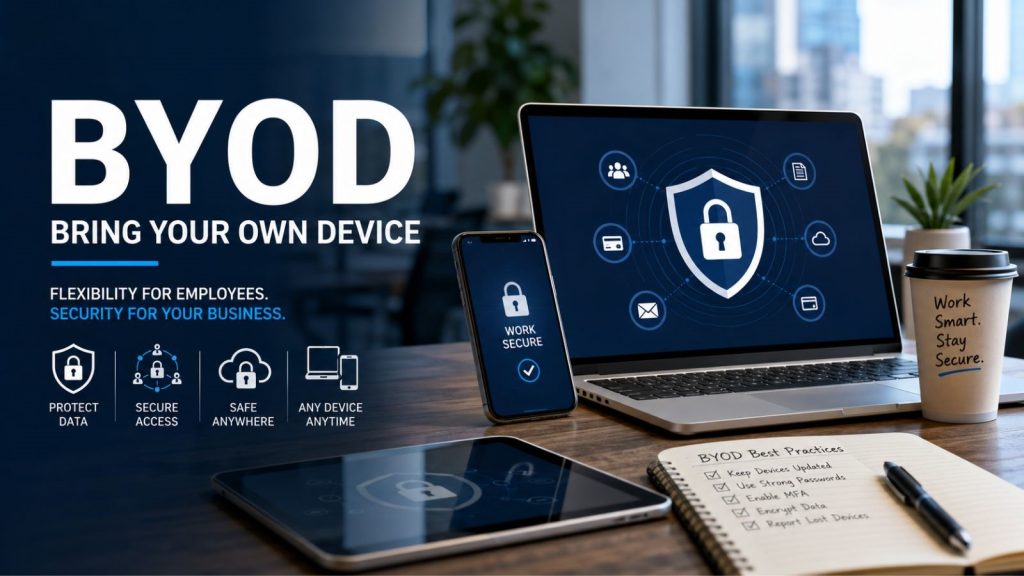
10 years ago, most workers used company-owned desktop computers that stayed inside the office after working hours. Now it’s pretty normal for people to check work emails on their phone, join meetings on their personal laptops, and open company files from home, coffee shops, airports, or hotel Wi-Fi. Many small businesses no longer provide every employee with a company laptop or phone. Instead, employees usually use their own smartphones for emails, their personal laptops for documents, and home computers for meetings and to access company files from wherever they are working. This practice is called BYOD (Bring Your Own Device).
It’s more popular because it’s convenient, flexible, and helps businesses save money on hardware purchases. But the downside of BYOD is that convenience often involves trade-offs. Unlike company devices, personal laptops and phones are usually controlled by the owners themselves. Some personal devices are fully updated and well secured. Others may be years behind on updates, running old software, connected to unsafe Wi-fi, or shared with family members. Every personal device becomes another possible entry point into the company’s systems. Recent industry data shows that more businesses are allowing BYOD as hybrid and remote work stay popular.
This guide explains what BYOD means, why so many businesses have embraced it,t and the security risks every small business owner should understand before allowing personal devices onto the company network.
According to Verizon’s 2025 Mobile Security Index, 70% of mobile devices involved in attacks were personal devices rather than corporate-issued devices.
What is Bring Your Own Device (BYOD)?
BYOD, short for Bring Your Own Device, is a workplace policy that allows employees to use their own personally owned devices for work instead of only using company-provided equipment. For many workers, using their own devices for work feels completely normal. They are already used to their personal phone or laptop.
Those devices may include:
- Personal laptops
- Desktop computers
- Smartphones
- Tablets
- Personal Macs or Windows PCs
For the company, BYOD can lower the cost of buying new tools and make it faster to get new employees started. Instead of buying and setting up a new laptop for each employee, the company just gives secure access to its systems on the employee’s own device.
Employees may use them to:
- Access company email
- Join Microsoft Teams or Zoom meetings
- Edit shared documents
- Log into cloud applications
- Access customer databases
- Manage accounting software
- Communicate with clients
The challenge is that when company data is on a personal device, the business no longer has complete control over the security and settings of that device.
Did you know?
Some companies ban BYOD completely, yet employees still use their own phones and laptops for work. One recent study found that 78% of employees continue using personal devices even when company policy prohibits it. Convenience often wins over policy.
BYOD vs Company-Owned Devices
| BYOD | Company-Owned Device |
| Employee owns the device | Company owns the device |
| Software varies by user | Standardized software |
| Updates depend on the employee | Updates managed centrally |
| Personal apps installed freely | Approved applications only |
| Limited visibility for IT | Full administrative control |
| Higher variation in security | Consistent security policies |
Neither using company devices nor BYOD is automatically the correct choice. Both have their place depending on the situation. The main difference between the two approaches is how much control the business has. With company-owned devices, the business can set and enforce the same security rules on every machine. With BYOD, the company depends more on employees following rules and having clear policies in place.
Why BYOD Is Becoming So Popular
Remote work, mixed office-home schedules, cloud programs and mobile teamwork have changed how employees connect to their workplace. During the pandemic, many companies learned that work could keep going even when people were not in the office. That flexibility has continued even after offices opened again. For workers, using their own devices often feels easier. Using a device they already know means they are familiar with shortcuts, settings, accessibility options, and apps they use daily. They do not need to carry two phones, manage two calendars, or switch devices during the day. Companies also gain advantages from BYOD. Buying laptops, phones, monitors, and other equipment for every employee can be very costly, especially for small companies and startups. BYOD cuts down on that initial cost and lets new employees start working productively much faster.
Fun Fact
One of the earliest reasons companies adopted BYOD wasn’t because it improved security or productivity; it was because employees simply preferred carrying one phone instead of two. That convenience eventually reshaped workplace IT policies around the world.
Some of the most common advantages include:
For Employees
- Working from a familiar device
- Greater flexibility between home and office
- Faster access to work resources
- Less equipment to carry
- Better overall convenience
For Businesses
- Lower hardware costs
- Faster onboarding
- Reduced equipment maintenance
- Easier support for remote work
- Improved employee flexibility
These benefits are exactly why BYOD (Bring Your Own Device) has become really common in lots of different fields. From hospitals and law offices to marketing companies, accountants, real estate businesses, and shops. But the same freedom and flexibility that makes BYOD attractive also introduces security challenges for many organizations.
Why Small Businesses Face the Biggest Risks
It’s common for businesses to find situations like these:
- Employees sharing passwords between coworkers
- Personal laptops connecting directly to office Wi-Fi
- Company files stored inside personal
- Dropbox or Google Drive accounts
Many small companies just hire outside IT help or call someone only when something goes wrong. Everyday device management usually depends on whoever is free at the moment. And their security rules are often just casual; talk instead of clear, written-down policies.
The Biggest BYOD Security Risks
1. Data Leakage
This is the first and one of the most common BYOD risk categories.
Common examples include:
- Sending work documents to a personal email address
- Uploading company files to a personal cloud account like Google Drive or Dropbox
- Saving customer information on the personal computer’s hard drive
Fun Fact:
Before cloud storage became mainstream, losing a laptop often meant losing the only copy of important files. Today, the bigger concern is almost the opposite: the same file may exist on multiple laptops, phones, cloud accounts, messaging apps, and backup drives, making it much harder to know where sensitive company data actually lives.
2. Malware and Ransomware Infections
Employees install browser extensions, download software, play games, and connect USB drives.
Common risks include:
- Downloading fake softwares
- Installing harmful add-ons for the web browser
- Opening deceptive emails that can trick users
- Using illegally downloaded or cracked software
- Plugging in an infected USB
- Using fake documents to open confidential files
3. Lost or Stolen Devices
People carry their laptops and tablets everywhere with them,m from coffee shops, airports, hotel client meetings, and shared workspaces.
The major challenges are:
- Encrypting the entire hard drive so data cannot be read if the device is lost
- Requiring multi-factor authentication
- Setting the screen to lock automatically after inactivity
- Using tools to manage the device from remote locations
- Ability to lock or erase the device remotely if lost.
4. Unsecured Public Wi-Fi Networks
Working outside the office or remotely often involves connecting to public Wi-Fi in places like coffee shops, airports, hotels, libraries, and coworking spaces. Public Wi-Fi is convenient but not always safe. Poorly configured or malicious wireless networks can expose encrypted data, stealing login details, session information, or business data.
5. Insufficient Access Controls
This is the first BYOD (Bring Your Own Device) category. It focuses on giving too much access to the wrong people.
For example:
- Sales staff do not need access to accounting files
- Marketing staff do not need payroll data
- Contractors should not have access to regular employee records
- Temporary workers should lose access when their project is finished.
6. Mixing Personal And Business Data
One of the biggest BYOD (Bring Your Own Device) challenges is separating work from personal life.
Examples include:
- Work files automatically syncing to personal cloud accounts
- Saving customer information in personal download folders
- Mixing work screenshots with personal family photos
- Storing work PDFs in personal note apps
- Company contact information automatically syncing to personal phones.
7. Outdated Operating Systems and Software
Many users postpone security updates because they are busy with other problems and do not want to restart their computer, especially when they’re leaving for home.
Common risks are:
- Older Windows versions that no longer get security updates
- Android phones that are no longer supported by the manufacturer
- Old versions of macOS that are no longer updated.
8. Shadow IT
Shadow IT includes approved tools and services for work.
For example:
- Using personal Dropbox to share work files
- Using WhatsApp to talk with clients
- Uploading work presentations to personal Google Drive
- Using free personal productivity apps for work projects
9. Lack of Device Visibility
It’s about not knowing what devices are connected or their security status. With visibility, companies often have no idea about the following:
- Which devices are connected to the company network
- What operating system those devices are using
- Whether the devices have encryption turned on/Whether antivirus software is installed and running
- Whether devices have been rooted or jailbroken
10. Insider Threats
It covers risks from people inside the organization. Insider threats usually fall into two categories.
Accidental: An employee accidentally sends sensitive information to the wrong person, a laptop is left unlocked, customer data is uploaded to the wrong cloud storage, sensitive files are shared using personal messaging apps.
Intentional: Although much less common, some employees intentionally copy client data, download confidential files before leaving, or use company resources for personal benefits.
BYOD (Bring Your Own Device) makes both accidental and intentional threats harder to monitor because the device belongs to the employee, not the company.
11. Regular Compliance Challenges
For companies in regulated fields, BYOD adds extra complexity to meeting rules. Like:
- Healthcare providers
- Law firms
- Insurance agencies
- Accounting firms
- Educational institutes
Depending on the industry, companies may need to follow specific regulations like these:
- HIPPA
- PCI DSS (Payment Card Industry Data Security Standard)
- GDPR (European Data Protection)
- FINRA (Financial Industry Regulation)
- FERPA (Family Educational Rights and Privacy Act)
12. Vulnerabilities Across the Board
Last but not least, the twelfth risk category is vulnerabilities across the board. It covers multiple weaknesses that can exist together.
A single employee could be using:
- An old operating system
- Weak passwords
- Public Wi-Fi networks
- Personal cloud storage
- No antivirus software installed
- No encryption enabled
- Unapproved apps, etc.
All of these scenarios create many opportunities for attackers to take advantage of any of these weaknesses.
Common BYOD Mistakes Small Businesses Make
Here are some of the most common BYOD mistakes that micro and small businesses make.
Lots of businesses aren’t just uninterested in cybersecurity! They just assume that their employees don’t need to be taught.
The most common errors are:
- Uncontrolled use of personal devices (without a written BYOD policy).
- Using the same password for multiple business accounts.
- Not being forced to use multi-factor authentication (MFA).
- Giving admin users full access.
- Not revoking access of previous employees.
- Skipping software updates.
- Storing company information on a personal cloud server.
- Another option is not to look at what devices remain logged in.
- Failure to encrypt laptops or mobile devices.
- Assuming Antivirus software provides complete security.
No one would make these mistakes.
In fact, several businesses function this way for years with no apparent issues noticed.
How to Build a Secure BYOD Policy
A BYOD policy is not just a document that is signed off on the first day of work. It creates a set of clear rules for users of personal devices accessing company resources.
If there is no written policy, each employee becomes an individual password and software provider, as well as a cloud storage and device protection decision maker. It’s an inconsistency that attackers will exploit.
A practical BYOD policy MUST have answers to these questions:
- What devices will be permitted?
- Which OS does the utility support?
- What are employees allowed to use in their company?
- Do multiple-factor authentication options need to be enforced?
- Do employees have the option of using wireless internet?
- Which cloud storage providers are allowed?
- What should app owners do if a device goes misplaced or stolen?
- Whom should staff reach out to in the event of a security incident?
The policy should outline the company’s responsibilities and limitations for any personal devices. Staff needs to be aware of the use of Mobile Device Management (MDM) at the business, if any, whether information is able to be removed remotely, and what information the employer can see.
MDM vs MAM: What’s the Difference?
Companies can’t have complete control of the personal phone or laptop of an employee; this is one of the greatest misconceptions about BYOD.
No longer is that the case.
Nowadays, businesses have a variety of options for securing business data without at the same time violating employees’ privacy.
Mobile Device Management (MDM)
MDM takes a more comprehensive approach, securing the entirety of the device.
An organization can:
- Require screen locks.
- Enforce password complexity.
- Verify encryption.
- Push software updates.
- Set up Wi-Fi and VPN.
- Secure or wipe the device remotely if required.
MDM is effective if workers access sensitive company data regularly on their personal devices.
Mobile Application Management (MAM)
Remove the need to carry around bulky desktop-sized application management software.
But MAM has a different idea.
It only manages the work applications; it doesn’t manage the whole device.
For example:
- Microsoft Outlook
- Microsoft Teams
- OneDrive
- SharePoint
- Business messaging apps
An employee can leave the company, and only the data inside these managed apps can be deleted.
Personal photos, text messages, contacts, and applications are untouched.
MAM offers a more secure and privacy-friendly solution for many small businesses.
| Feature | MDM | MAM |
| Controls entire device | ✔ | ✘ |
| Controls only work apps. | ✘ | ✔ |
| Can remotely wipe work data | ✔ | ✔ |
| Can remotely wipe entire device | ✔ | ✘ |
| Better for company-owned devices | ✔ | Sometimes |
| Better for BYOD | Sometimes | ✔ |
BYOD Security Checklist
Policies are necessary, but workers need to be educated about general security precautions.
If you plan to allow personal devices to connect to business systems, first determine if your business has these basics.
Device Security
- Strong passwords
- Biometric authentication
- Automatic screen locking
- Full-disk encryption
- Automatic operating system updates
Account Security
- Multi-factor authentication
- Unique passwords
- Password manager
- Least privilege access
Network Security
- VPN for remote work
- Secure office Wi-Fi
- Guest network isolation from company network. The guest network is disconnected from the company network.
- HTTPS connections
Data Protection
- Cloud backups
- Approved file-sharing platforms
- Containerized work applications
- Remote wipe capability
Employee Awareness
- Phishing awareness training
- Clear reporting procedures
- Lost device reporting
BYOD Best Practices Every Small Business Should Follow
Each business will have its own security needs, but some practices are common suggestions in virtually every industry.
Keep Devices Updated
Security fixes address areas where it may have vulnerabilities that are known to adversaries. Lag time ensures that the bad guys have more time to use known vulnerabilities.
If possible, turn on automatic updates for:
- Operating systems
- Browsers
- Office software
- Security software
- Mobile apps
Require Multi-Factor Authentication
Traditional passwords won’t suffice these days.
If an employee’s password was compromised,d then MFA will provide a further level of authentication before access will be granted.
This makes credential hacking much less successful.
Use a VPN for Remote Work
Those using a shared workspace, like a coffee shop, airport, and others, should connect over a trusted VPN to gain access to company resources.
A VPN will encrypt internet traffic and make it harder for people on the same network to eavesdrop or intercept delicate data.
Organize Personal and Business Data.
Business files should be within the boundaries of approved business applications as far as possible.
Don’t use personal cloud spaces or consumer messaging services for work documents.
Thanks to containerization, managed applications, and dedicated work profiles, this becomes quite easy.
Is BYOD Right for Your Business?
Again, there is no easy or timeless solution. Some organisations are doing really well with BYOD. Other people may prefer to keep their apparatus with the business.
Generally, the BYOD approach is appropriate when:
- Employees work remotely.
- Budgets are limited.
- Cloud applications are very widely utilized.
- Isolation of sensitive data is possible.
- Security policies are implemented uniformly.
When it comes to company-owned devices, these are more suitable:
- There is highly regulated data.
- Staff deal with confidential documents on multiple occasions a week.
- There are strict compliance requirements.
- Specialized software needed.
- The business desires a strong level of enterprise management.
Secure your Business with Mobile Computer Repair
Letting employees use their personal devices for work does not have to lead to extra security problems. With proper policies and secure management of devices, and regular maintenance, small businesses can have the flexibility of BYOD and still protect customer data, business information, and daily work. If your business needs help creating a safe BYOD policy, improving device security, setting up employee devices, or creating secure remote access, Mobile Computer Repair offers on-site IT support for small businesses in Los Angeles.
Whether you have five employees or fifty, we can help create a safer and more dependable technology setup without interrupting how your team normally works.
Frequently Asked Questions (FAQs)
Q.1. What does BYOD mean?
BYOD means Bring Your Own Device; it is a company’s policy that lets employees use their laptops, smartphones, tablets, or any other computer for performing business tasks.
Q.2. Is BYOD safe?
It is safe, however, only when there are some security measures like passwords, multi-factor authentication, encryption, and software updates in the BYOD policy.
Q.3. What are the major BYOD security threats?
There are many potential threats, among which are: data leakage, malware, insecure Wi-Fi, software vulnerabilities, shadow IT, lost devices, insufficient access control, insiders, and lack of visibility about connected devices.
Q.3. What is shadow IT?
Shadow IT is the usage of software, cloud services, or any application that has not been approved within the business. It usually contains corporate data that is stored beyond the control of security.
Q.4. What is the difference between MDM and MAM?
The difference is in the management of the whole device versus the management of work applications and data. It is better to use MAM, as it protects the company’s data, not the employee’s data.
Q.5.Can the organization delete my private phone?
No, because many companies that use MAM only delete business information from approved apps without affecting personal data like pictures, contacts, or messages.
Q.6. Is it okay to use public Wi-Fi at work?
It is okay if you use a good virtual private network and adhere to all the security measures set out by your employer.
Q.7.Does a BYOD policy make sense for small businesses?
Yes, even though there will be a small number of people who share company email and cloud storage.