
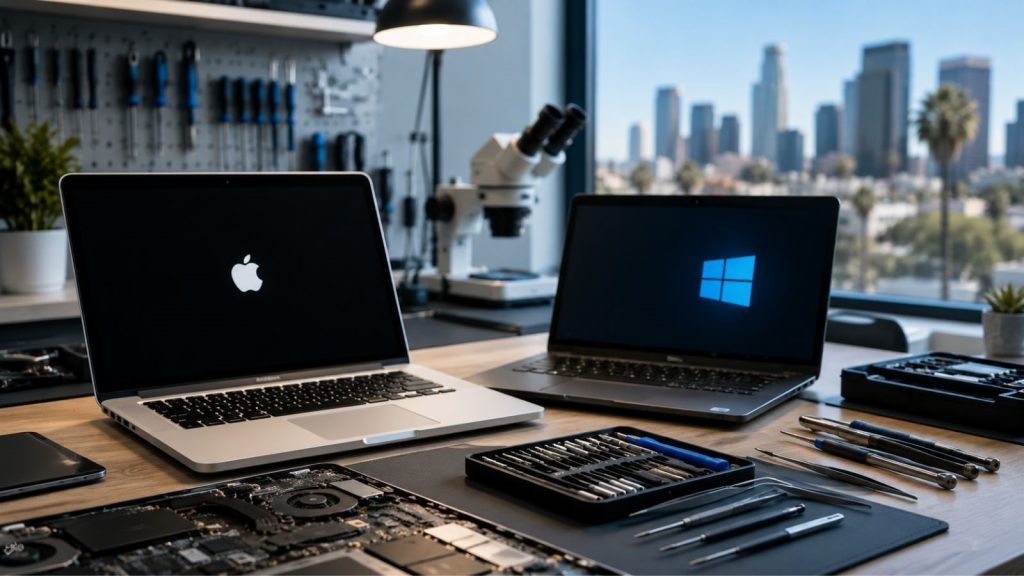
Whether you use your laptop for work, school, creative projects, or everyday browsing, even a minor issue can interrupt your routine. That’s why reliable laptop repair services in Los Angeles are essential when your device starts showing signs of trouble. From cracked screens and battery failures to software crashes and hardware malfunctions, professional technicians can diagnose problems accurately and restore your laptop’s performance before small issues turn into costly repairs.
Laptops have become indispensable for professionals, students, entrepreneurs, and remote workers alike. Unlike desktop computers, they combine portability with powerful performance, making them the preferred choice for people constantly on the move. However, this portability also exposes them to accidental drops, overheating, liquid spills, and everyday wear and tear. Both MacBooks and Windows laptops are sophisticated machines, and repairing them requires specialized knowledge, proper diagnostic tools, and experience with different hardware architectures.
Why Professional Laptop Repair Matters
When a laptop begins freezing, making unusual noises, or running significantly slower than usual, many users assume they can fix the issue by watching online tutorials. While simple software updates may solve minor glitches, modern laptops contain delicate components that require careful handling. Attempting DIY repairs without the proper tools can result in damaged connectors, stripped screws, broken display cables, or even complete motherboard failure.
Professional repair technicians don’t just replace faulty parts; they identify the underlying cause of the problem. For example, a laptop that repeatedly shuts down may not simply need a new battery. The issue could stem from overheating, a failing charging circuit, corrupted firmware, or internal hardware damage. Getting proper laptop repair services in Los Angeles saves both time and money by ensuring the correct repair is performed the first time.
MacBook vs. Windows Laptops
Although MacBooks and Windows laptops perform many of the same functions, their internal designs differ considerably.
MacBooks are known for their compact engineering, integrated components, Retina displays, and macOS optimization. Repairs often require specialized tools and extensive familiarity with Apple’s hardware architecture.
Windows laptops, on the other hand, are available from manufacturers such as Dell, HP, Lenovo, ASUS, Acer, and MSI. Each brand features unique internal layouts, cooling systems, and hardware configurations, requiring technicians to understand a wide variety of components and repair procedures.
Because of these differences, choosing a repair provider experienced with both platforms ensures your device receives the right diagnosis and repair strategy.
Common Signs Your Laptop Needs Professional Attention
Many laptop issues develop gradually before leading to complete failure. Seeking professional assistance early can prevent data loss and more expensive repairs.
Some common warning signs include:
- Frequent freezing or unexpected restarts
- Blue Screen of Death (Windows) or repeated macOS kernel panics
- Battery draining unusually fast
- Laptop overheating or loud fan noise
- Cracked or flickering display
- Keyboard or trackpad not responding properly
- Slow startup and application loading
- Unusual clicking sounds from the storage drive
- Charging problems or loose charging ports
Recognizing these symptoms early allows technicians to address the root cause before it affects your laptop’s overall performance and lifespan.
Common MacBook Repairs and Windows Laptop Repairs
While MacBooks and Windows laptops are built differently, many of the issues they experience are similar. The difference lies in how those problems are diagnosed and repaired. Professional technicians use specialized tools, manufacturer-approved procedures, and years of experience to restore your device safely and efficiently.
Common MacBook Repair Services in Los Angeles
MacBooks are renowned for their sleek design and reliable performance, but like any electronic device, they are not immune to wear and tear. Because Apple integrates many hardware components into a compact design, repairs often require advanced expertise.
Some of the most common MacBook repairs include:
Battery Replacement: Over time, every rechargeable battery loses its capacity. If your MacBook drains quickly, shuts down unexpectedly, or displays a “Service Recommended” message, replacing the battery can restore its portability and performance.
Screen Repair or Replacement: Retina displays deliver exceptional image quality but are vulnerable to accidental drops and pressure damage. Cracked screens, flickering displays, dead pixels, or display discoloration typically require professional replacement.
Keyboard and Trackpad Repairs: Dust, liquid spills, and everyday use can cause keys to stop responding or become sticky. Likewise, a malfunctioning trackpad can make navigation frustrating. Experienced technicians can repair or replace these components while preserving your MacBook’s functionality.
Logic Board Repairs: The logic board is the heart of a MacBook. Damage caused by liquid spills, power surges, or failing components can lead to startup issues or complete system failure. Skilled repair specialists can diagnose board-level faults instead of immediately recommending a costly replacement.
Common Windows Laptop Repair Services in Los Angeles
Windows laptops come in countless models from manufacturers such as Dell, HP, Lenovo, ASUS, Acer, and MSI. Although their designs vary, many repair requests involve similar hardware and software problems.
Windows laptop repair services in Los Angeles frequently include:
- Broken or cracked laptop screens
- Damaged charging ports
- Faulty keyboards and touchpads
- Hard drive or SSD replacement
- RAM upgrades
- Motherboard repairs
- Cooling fan replacement
- Hinge repairs
- Virus and malware removal
- Windows installation and recovery
- Data backup and recovery
- Performance optimization
Whether your laptop is used for business, school, gaming, or creative work, prompt repairs help extend its lifespan while avoiding more extensive damage.
How to Choose the Right Laptop Repair Service in Los Angeles
Not all repair shops offer the same level of expertise. Whether you own a MacBook or a Windows laptop, choosing an experienced repair provider can make a significant difference in the quality and longevity of the repair.
When comparing laptop repair services in Los Angeles, consider the following:
- Experienced Technicians: Look for professionals who regularly repair both macOS and Windows devices.
- Comprehensive Diagnostics: A reliable repair service identifies the root cause instead of simply replacing parts.
- Quality Replacement Parts: High-quality components help ensure dependable performance after repairs.
- Transparent Pricing: Choose a provider that explains the issue, repair options, and costs upfront.
- Fast Turnaround: Timely repairs minimize downtime, especially for professionals and students who rely on their laptops daily.
- Positive Customer Reviews: Consistently good feedback reflects dependable service and customer satisfaction.
Choosing a trusted repair company provides peace of mind that your laptop is in capable hands.
Preventive Maintenance Tips to Extend Your Laptop’s Life
Routine maintenance can help prevent unexpected breakdowns and improve long-term performance.
Follow these best practices:
- Keep your operating system and drivers updated.
- Install reputable antivirus software and run regular scans.
- Clean dust from vents to prevent overheating.
- Avoid blocking airflow by using your laptop on hard, flat surfaces.
- Handle your laptop carefully and use a protective sleeve during transport.
- Back up important files regularly using cloud storage or an external drive.
- Replace aging batteries before they begin affecting overall system performance.
- Schedule periodic professional inspections if your laptop is heavily used for work or business.
Small maintenance habits today can help you avoid expensive repairs tomorrow.
Conclusion
Whether you rely on a MacBook for creative work or a Windows laptop for business, education, or everyday computing, addressing problems early is the key to protecting your investment. Issues such as cracked screens, battery failures, overheating, slow performance, virus infections, and hardware malfunctions rarely improve on their own. Professional diagnostics and expert repairs help restore your laptop’s performance while preventing more extensive damage in the future.
If you’re searching for dependable laptop repair services in Los Angeles, trust the experienced technicians at Mobile Computer Repair. From MacBook repairs and Windows laptop troubleshooting to hardware replacements, virus removal, data recovery, and performance optimization, our team delivers convenient, professional solutions designed to get you back to work quickly. Contact Mobile Computer Repair today and let us bring reliable, expert laptop repair services directly to you.
Frequently Asked Questions
Q-1. Can both MacBooks and Windows laptops be repaired?
Ans. Yes. Professional technicians can diagnose and repair hardware and software issues on most MacBook and Windows laptop models.
Q-2. How long does a typical laptop repair take?
Ans. Repair times depend on the issue and parts availability, but many common repairs can be completed within the same day or within 24–48 hours.
Q-3. Will I lose my files during a laptop repair?
Ans. Most repairs do not affect your personal data. However, it’s always recommended to back up important files before any repair service.
Q-4. Is it worth repairing an older laptop?
Ans. If the repair cost is significantly lower than purchasing a new device and the laptop still meets your performance needs, repairing it is often a cost-effective solution.
Q-5. When should I seek professional laptop repair?
Ans. If your laptop overheats, won’t turn on, crashes frequently, has a damaged screen, battery issues, or unusually slow performance, it’s best to have it inspected by a qualified technician as soon as possible.