
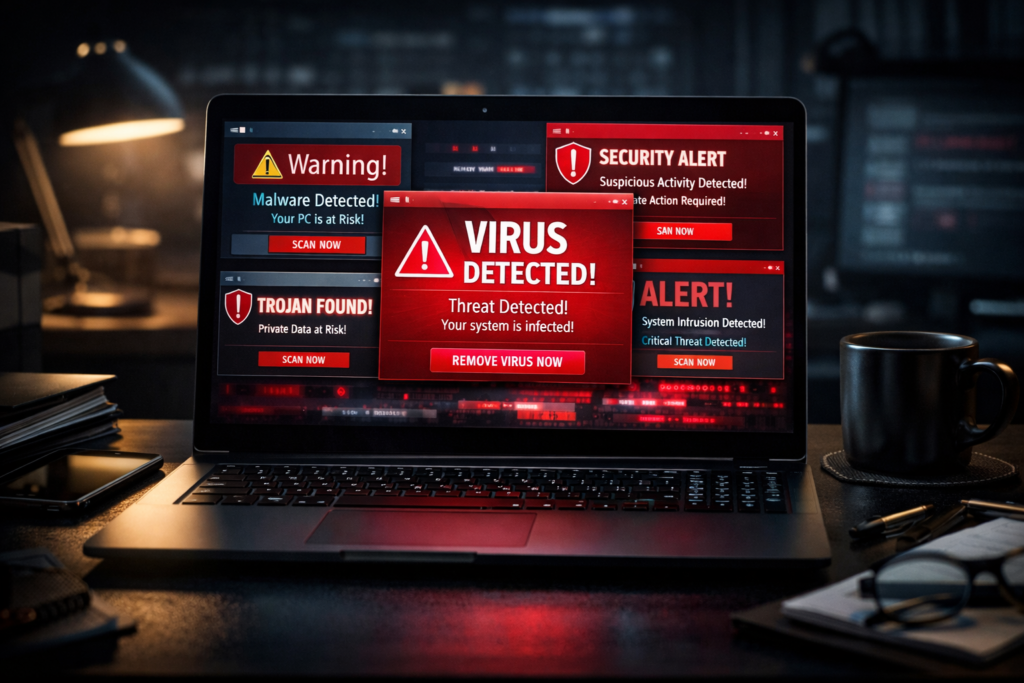
Is your computer slow, crashing, or showing unusual behavior? Learn how to identify malware, remove computer viruses, and prevent future infections from experts in LA.
According to cybersecurity reports, more than 560,000 new malware threats are detected worldwide each day. If your computer used to run fine, but now it keeps getting random pop-ups out of nowhere. Or worse, you’re seeing messages that look like they’re from the FBI demanding money, yeah, you’re doomed! You may need professional computer virus repair services to step in and clean that mess up fast. Malware infections are actually pretty common these days, and these are not just some annoying little bugs. Some viruses may lock up your computer until you pay up (Ransomware), others quietly watch everything you type to steal passwords (Spyware). They are designed to steal your data, monitor your activity, and shut down your system completely.
A lot of individuals try to fix it on their own by downloading some free tools they found online, running a scan and hoping for the best. But these malware infections usually hide deep, and if you don’t get every last piece out, they’ll just come back. That’s why we need pros who know how to dig in and wipe it all out for good.
In this guide, we will dive into the red flags to watch for, why quick fixes don’t work and how calling an expert can get your computer back to normal.
Signs Your Computer Has a Virus
Alright, so how do you even know if your computer is infected? Here are a few signs to look out for, and catching these signs early can be beneficial. The sooner you spot the problem, the better chances you have of not losing all your photos and documents. So if any of these things start happening to your computer, it’s probably time to call someone professional.
| Symptom | What It Means |
| Frequent pop-ups asking for payment | Possible ransomware or adware infection |
| Slow performance or freezing | Malware uses system resources |
| Unknown programs or toolbars | Spyware or bundled malicious software |
| Files disappearing or being encrypted | Ransomware attack |
| Browser redirects | Hijacked browser settings |
| Internet suddenly stops working | Malware blocking connections |
Why DIY Virus Removal Tools May Not Be Enough
If you’re thinking, “Can’t I just run a free scan and be done with it?” Let’s talk about why that won’t work. Honestly, most of us do this when something feels off with the computer; we just download whatever free antivirus pops up first in Google, run a scan, and be done with it. It’s not a bad move, but with the kind of virus floating around today, that free tool only usually scratches the surface. If you really want the infection gone for good, you’re gonna need more than a basic scan.
Industry Insight:
Studies show that over 90% of phishing attacks start via email, and many infections go unnoticed for weeks.
- Most free tools detect only known threats
- Advanced malware disable antivirus software
- Rootkits hide deep in system files
- Spyware continues tracking even after “removal’
Free antivirus programs only detect threats that are known to them. If you’ve got something new or slightly different, the software just doesn’t see it. It’s like having a security camera that only catches people wearing red shirts. And some viruses even disable your antivirus software as soon as you install it. So you might think you’re running a scan but really the malware just hit the switch off. Rootkits bury themselves so deep in your computer’s system files that regular scans can’t even reach them. It’s like someone hiding in your attic; you might walk around the house all day and never know they’re there. And Spyware often leaves pieces of itself behind. So even after you run a scan and think it’s gone, those leftover bits can wake up and start tracking you all over again.
How Can Professional Computer Virus Removal Services Help?
Around 95% of users lack the technical expertise to completely remove deeply embedded malware. So, when you bring in someone who does this for a living here in LA, here’s what we actually offer that free software can’t:
A.) Advanced Diagnostic: We’ve got way better tools than the free stuff you find online, the kinds that actually go deeper and find what regular scans miss.
B.) Identify Dormant Threats: Sometimes malware just sits there quietly, waiting. We can spot those sleeping threats before they wake up and cause problems.
C.) Repair System Damage: Viruses don’t just infect the system, but also make it hard to recover the lost files. A professional computer virus removal service fixes all the damage left behind, not just the virus itself.
D.) Secure Vulnerabilities: This is the most important part, we can patch up however the virus got in so it doesn’t happen again next week.
Step-by-Step Virus Removal Process
1. Full System Diagnosis
We scan your entire system using advanced tools to identify:
- Viruses
- Hidden malware
- Trojans
- Spyware
2. Malware Removal & Cleanup
- Our experts perform:
- Deep malware removal
- Registry cleanup
- Removal of malicious scripts
3. Data Protection & Backup
We fix:
- Damaged system files
- Startup issues
- Performance bottlenecks
4. Security Patch & Protection Setup
- Install updated antivirus software
- Configure firewall settings
- Close security vulnerabilities
Final Words
Mobile Computer Repairs provides fast, reliable, and on-site antivirus removal services in Los Angeles.
What Makes Us Different
- Same day services across Los Angeles
- On-site repair (home & office visits)
- Free diagnostics
- Affordable pricing
- 15+ years of experience
- Licensed, bonded, and insured
(Fun Fact)
The first computer virus, called “Creeper”, was created in the 1970s, and since then, cyber threats have evolved into billion-dollar criminal industries.
Choose our professional computer virus removal service in Los Angeles to ensure complete malware removal, data safety, restored performance, and long-term protection. Contact us today to schedule a consultation.
Frequently Asked Questions (FAQs)
Q1: How do I know if I need computer virus removal services in Los Angeles?
There are many ways to tell if you have a computer virus. If your computer is behaving strangely, such as getting many pop-ups, running slowly, or if you notice strange programs appearing, then you probably have a computer virus.
Q2: Can I avoid computer viruses using antivirus software?
While there is no such thing as perfect security, antivirus software is one of the best ways to protect your computer against viruses. However, not all viruses can be caught by average antivirus software, such as rootkits, ransomware, or spyware.
Q3: How long does computer virus removal take?
If your computer is not too badly infected, then computer virus removal services in Los Angeles can take anywhere from 1 to 2 hours. However, if your computer is badly infected, such as with ransomware, then removal can take longer, sometimes even longer than a day.
Q4: Is my data safe during computer virus removal services in Los Angeles?
When you hire computer virus removal services, your data is always a top priority. This is why professionals always make a backup of their data, especially their important files, before making any changes to their computer.
Q5: How do I avoid spyware viruses?
Spyware is one of the most common computer viruses, so you want to take precautions to avoid getting spyware. To avoid spyware, you can use antivirus software, such as McAfee, and avoid clicking on any suspicious links or opening any suspicious email attachments.
Q6: If I get a computer virus, do I need to replace my computer, or can I use computer virus removal services in Los Angeles to fix it?
Most of the time, computer viruses can be completely removed, especially if you hire computer virus removal services in Los Angeles. However, if your computer is quite old, then you may want to think about getting a new computer.
Q7: Can computer viruses spread to other devices connected to my computer?
Yes, computer viruses can spread to other devices connected to your computer, especially if you have multiple devices connected to your computer, such as laptops, desktops, smart devices, etc.