
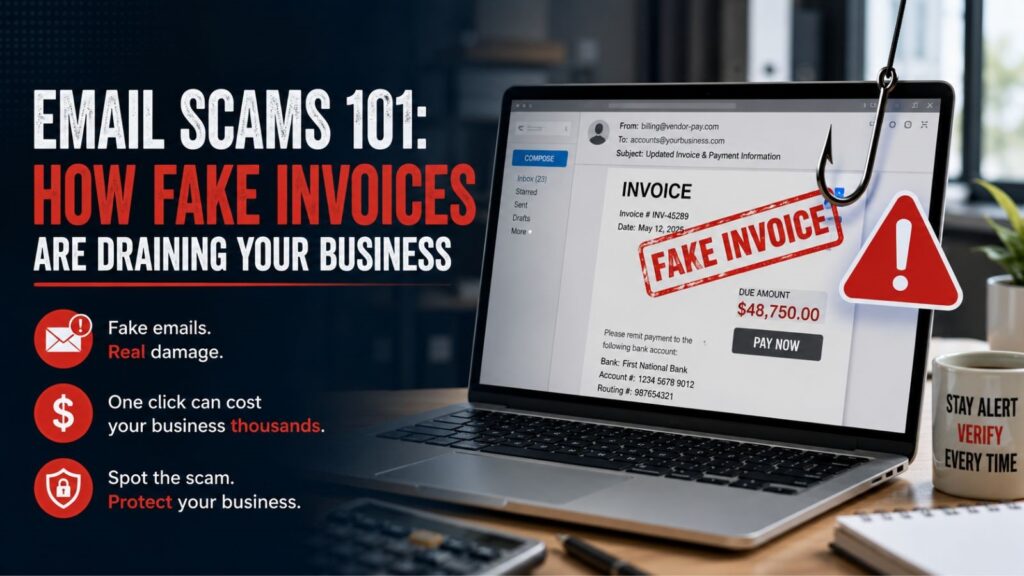
The FBI’s 2025 IC3 report logged 22, 364 AI-related complaints with $893,346,472 in adjusted losses. Apart from that, it was also said that businesses reported more than $30 million in losses from AI-involved business email compromise scams. If that doesn’t make you scared of email scamming, we don’t know what will. And these scams are not limited to those poorly written, obvious spam messages full of typos and suspicious links. One of the major dangers today is Business Email compromise (BEC). Scammers create emails that look like they’re from people or companies you already do business with: your vendor, your boss, your accountant, etc. According to the FBI, BEC specifically targets businesses that send or receive payments. And the scariest part is these emails seem completely normal and trustworthy.
The fake email might look like an invoice, a request to update banking details, or even a reply in an ongoing conversation. Scammers use tricks like faking email addresses, sending targeted phishing messages, or even hijacking real email threads to make their request legitimate.
How Scammers Fake These Emails
Some scammers spend days and even weeks studying how a company email works, who they talk to, how they write and what kind of projects they discuss before attacking. Other scammers hack into a real email account and just observe everything from behind the screen. When the fake email finally lands in someone’s inbox, it includes:
- Real names
- Real vendor information
- Actual project details
- Existing email threads
- Familiar language and signatures
The person who is receiving emails might not get suspicious at all, and that’s how businesses get scammed so easily. BEC scams are so successful because they are well researched and blend perfectly into the normal business communications.
The Most Common Email Scams
Take a look at the most frequent scams hitting LA businesses right now:
1. Bank Account Change Request
Charging a vendor’s bank account is still one of the most effective and common scams used against small businesses. The scam usually starts with an email that looks like it’s from a regular vendor. They say they’ve changed their bank account and all future payments should go through the new account from now on. The fake email is made to look almost exactly like a real email the vendor has sent before, same tone, same format, and same signature. The only difference is that the “new” bank account actually belongs to the scammer, not the real vendor.
Businesses like construction companies, property management, and professional services get the most hits because they make frequent, large payments to vendors. This makes the scam more believable and more profitable for the attackers
2. Fake Executive Request
This is the second major scam type. So what happens in a fake executive spam? An employee (accounting/admin) gets an email that looks like it’s from the boss or a high-level person in the company. The message usually requests one of the following things:
- A wire transfer
- Gift card purchase
- Payroll information
- Employee records
- Financial reports
Common requests include wiring money, and these emails almost always create pressure by sounding urgent. Typical lines that are used may sound like:
“Need this completed before EOD”.
“I’m in a meeting, can’t talk right now, please handle this immediately”.
In these typical scenarios, they try to pressure an employee so that they won’t have a chance to double-check. The whole point of the urgency is to make the employee act fast without calling or texting anyone to confirm the request is real.
3. Compromised Vendor Account
This is one of the advanced and very dangerous versions of email scams as it’s tricky to catch. Instead of faking an email that looks like it’s from a vendor, the scammer hacks into the real vendor’s email account. Since the emails are coming from the vendor’s actual, verified email address, they look 100% legitimate to the person receiving them. The attacker sits quietly inside the hacked account and waits for the perfect opportunity, then sends a message asking to change bank details or redirect an upcoming payment to their own account.
4. Invoices
Sending fake invoices is another common tactic used by scammers. Many scammers do their homework on local businesses before they strike on any weaknesses. They figure out your regular vendors, what you buy from them, and when you normally receive and pay invoices. The scammer times the fake invoice so it lands in your inbox right when your team is busy paying real invoices. Because of the perfect timing, the fake invoice blends in and feels completely normal.
Why Small Businesses Are More Likely To Get Scanned
Big corporations usually have full-time security teams at their disposal. Big companies hire a team of people who must approve payments and have strict rules to prevent fraud. But most small businesses don’t have any of those protections in place. In L.A., small real estate offices might have just one person doing all the bookkeeping. A small law firm might only have 1-2 admin people handling payments and invoices. A contractor might be approving and sending payments from their phone while on the job site. When one person is doing many different jobs, it’s hard to get all the things done perfectly. And people usually forget to double-check in a hurry, and that’s exactly what scammers are looking for.
Scammers know busy people are most likely to act fast without verifying. The more normal and routine the email looks, the less likely the person is to pause and verify it.
Red Flags Worth Paying Attention To
There are many common red flags that show up again and again in these scams. Here are the most important warning signs to look out for. Be careful if an email asks you to:
- Suddenly change their bank details
- Changes payments methods
- Try to create fake urgency
- Ask for sensitive employee data
- Comes at an unusual time or breaks a usual pattern
- Has a slightly different email address
- Or asks the employee to skip the approval and verification processes
Scammers usually change just one character in an email address, and during busy days, it’s very easy to miss that.
Follow the Verification Process to Prevent Losses
A lot of businesses spend money on expensive antivirus programs, firewalls, and other tech and tools. But it is also very important to meet the basic, low-tech protection requirements. The golden rule is: never confirm or act on any request to change banking details, payment instructions, or send money based only on an email. Always verify it through other channels. When you receive an email from a vendor saying their account has changed:
- Use the phone number you already have saved for the vendor to confirm
- Talk to someone you’ve worked with from that company
- Get verbal confirmation that the bank details change is real
- Write down who you spoke to, the time, and what information was shared
- Never call the phone number listed in the suspicious email
- Use the same verification process for any urgent payment requests that supposedly come from the owner/boss/manager.
Spending just two minutes to pick up the phone and verify can save your business from losing thousands of dollars.
Tips for Small & Local Businesses
You don’t have to spend thousands of dollars on fancy enterprise tools to protect your business. Following small and smart steps can help save your business. Start with fundamentals:
A. Enable Multi-factor Authentication
Turn on Multi-Factor Authentication (MFA/2FA) for all important accounts (emails, banking, accounting software, etc.). Even if an email password is compromised, MFA usually stops them because they would need a second verification (like a code sent on the phone).
B. Train Employees
Train your team on a regular basis. Employees are your first line of defence as they are the ones receiving these scam emails. Quick, regular conversations about the latest scam tricks can work well if you don’t have time for long training.
C. Review Payment Procedures
Take time to review and update your internal payment rules. Establish clear rules for:
- Vendor payment changes
- Wire transfers
- Payroll requests
- Financial Approvals
Set firm procedures for all these methods and ensure the whole team follows the rules. When everyone follows the same process every time, it becomes much harder for scammers to trick your team. Make sure all your computers, software, and networks are kept up to date. Good emails are very important, but it’s only one piece of the puzzle. Old computers, unsupported operating systems, and neglected networks can create additional entry points for attackers.
Conclusion
Email scams have become harder to spot because they no longer look suspicious. They look like everyday business communication. Whether it’s a fake invoice, a payment-update request, or a message that appears to come from a trusted vendor, these scams rely on familiarity rather than technical tricks. That’s why businesses of every size, from local contractors and real estate offices to law firms and medical practices.
Mobile Computer Repair provides professional IT support, cybersecurity assistance, network solutions, and computer services for businesses throughout Los Angeles.
Frequently Asked Questions (FAQS)
Q.1. How should a company verify a change of vendor bank account?
By not using the very same email thread to confirm that fact. According to both the FBI and the FTC, a company needs to pay particular attention to any invoices and separately verify the changes to the bank account.
Q.2. What should be done once the money has already been sent?
Act fast. The FBI suggests reaching out to the bank and asking it to communicate with the other financial institution and report the scam to IC3. The FTC asks victims of phishing attempts and other scams to visit ReportFraud.ftc.gov.
Q.3. Are there any new technologies that worsen the situation with email scams?
Indeed. For instance, according to Microsoft, hackers use artificial intelligence to draft their phishing lures, translate emails into many languages, and accelerate the whole process. Moreover, the FBI reports that BEC scams involving AI caused more than $30 million worth of losses by Los Angeles businesses alone in 2025.
Q.4. Why is that particularly important for companies in Los Angeles?
Because California topped the list of the FBI’s complaints in 2024 and, generally speaking, LA businesses tend to have lean billing workflows.
Q.5. How should an employee report a phishing email?
The FTC says to forward phishing emails to the Anti-Phishing Working Group and report them to ReportFraud.ftc.gov.