
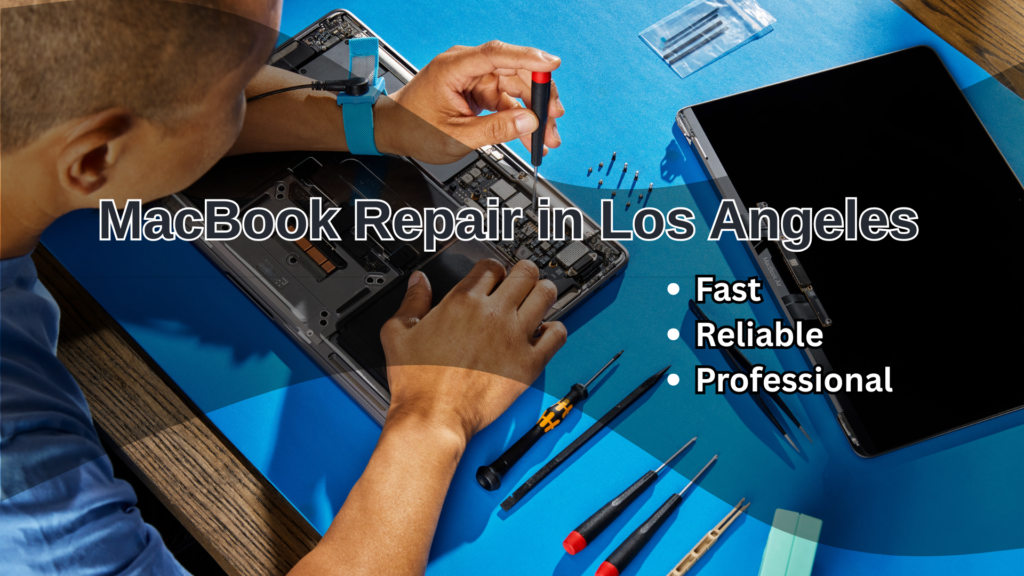
MacBooks are known for their performance and durability. However, like any device, they can develop issues over time—especially with daily use in fast-paced environments like Los Angeles.
Whether you use your MacBook for business, school, or creative work, understanding your repair options can help you save time, money, and frustration.
In this guide, we’ll walk you through common MacBook problems, repair solutions, pricing expectations, and how to choose the right service provider.
Common MacBook Issues in Los Angeles
To begin with, identifying the problem early can prevent more expensive repairs later. If you’re looking for MacBook repair in Los Angeles, it’s useful to recognise the most common issues you might experience. Below are the most common issues MacBook users experience:
Battery Problems
Over time, batteries degrade. As a result, you may notice faster drain, unexpected shutdowns, or charging issues. In most cases, a battery replacement resolves the problem quickly.
Screen Damage
In contrast to minor cosmetic damage, screen issues such as flickering, dead pixels, or cracks require immediate attention. Retina displays, in particular, demand specialized repair.
Overheating and Slow Performance
Additionally, overheating is often caused by dust buildup or failing internal components. Consequently, your MacBook may slow down or crash frequently.
Keyboard and Trackpad Issues
Furthermore, unresponsive keys or trackpad glitches can disrupt productivity. These issues are especially common in older MacBook models.
Logic Board Failures
Finally, more serious problems like logic board failure can lead to power issues or random shutdowns. Therefore, professional diagnostics are essential.
MacBook Repair Options in Los Angeles
Once you’ve identified the issue, the next step is choosing where to get it repaired. Generally, you have two primary options:
Apple Authorized Service Providers
For users who prefer official support, Apple Support offers certified repair services using genuine parts.
Advantages:
- High-quality, original components
- Warranty protection
- Certified Apple technicians
Considerations:
- Higher costs
- Longer turnaround times
Independent Mac Repair Specialists
On the other hand, independent repair shops provide more flexible and often faster solutions. Organizations like Repair.org advocate for these alternatives.
Advantages:
- More affordable pricing
- Faster service turnaround
- Personalized support
Considerations:
- Quality varies by provider
- Parts may differ from Apple originals
Average MacBook Repair Costs in Los Angeles
Before proceeding with any repair, it’s important to understand the expected costs. While prices vary depending on the model and issue, here are typical ranges:
| Repair Type | Estimated Cost (USD) |
|---|---|
| Diagnostic Fee | $50 – $100 |
| Battery Replacement | $150 – $300 |
| Screen Replacement | $300 – $800+ |
| Keyboard Repair | $150 – $400 |
| Logic Board Repair | $400 – $900+ |
| Data Recovery | $200 – $1000+ |
Important: Newer MacBook Pro models typically cost more to repair due to their advanced components.
Why Specialized Mac Repair Matters
Unlike standard laptops, MacBooks are built with proprietary hardware and tightly integrated software. For this reason, general repair approaches may not be effective.
Therefore, choosing a technician who specializes in Apple devices ensures:
- Accurate diagnostics
- Proper tools and techniques
- Reduced risk of additional damage
- Longer-lasting repair results
Signs You Need Immediate MacBook Repair
In some situations, delaying repair can lead to more severe damage. Watch out for these warning signs:
- MacBook won’t power on
- Persistent overheating or loud fan noise
- Battery swelling
- Frequent system crashes
- Liquid damage
If you notice any of these, it’s best to seek professional help right away.
What Happens During a MacBook Repair?
Understanding the process can help set expectations. Typically, repairs follow these steps:
- Initial Diagnosis – The issue is identified
- Repair Estimate – You receive a cost breakdown
- Approval – Work begins after your confirmation
- Repair Execution – Components are repaired or replaced
- Final Testing – The device is fully tested
- Completion – Your MacBook is ready for pickup or delivery
How to Prepare Your MacBook for Repair
Before bringing your device in, it’s essential to take a few precautions.
First, back up all important data using Time Machine or cloud storage. Next, sign out of your Apple ID if possible. Additionally, bring your charger and clearly describe the issue to the technician.
These simple steps can help speed up the repair process and protect your data.
Choosing the Right MacBook Repair Service in LA
With many repair options available, selecting the right provider is crucial. To make the best decision, consider the following:
- Proven experience with MacBook repair
- Strong customer reviews
- Transparent pricing structure
- Warranty on repairs
- Fast turnaround time
In many cases, mobile repair services can even come to your location—saving you valuable time.
Final Thoughts
Ultimately, MacBook repair in Los Angeles is about making informed decisions. By understanding common issues, repair options, and cost expectations, you can confidently choose the right solution.
More importantly, working with a trusted Mac repair specialist ensures your Apple laptop remains reliable for years to come.