
A cracked or flickering laptop display can stop your work instantly. Whether you dropped your laptop, closed it on an object, or the display suddenly developed lines or dead pixels, a damaged screen is one of the most common laptop problems we see in Los Angeles.
The good news is that laptop screen repair is usually fast and more affordable than replacing the entire device. Understanding the expected cost, timeline, and repair process can help you make the right decision.
In this guide, we’ll explain how laptop screen repair works, what it typically costs in Los Angeles, and how long it usually takes to get your device back up and running.
Common Laptop Screen Problems
Laptop displays can fail in several ways. Some problems are obvious, while others develop slowly over time. If you’re in LA, you might be wondering about laptop display replacement cost and how much to budget for repairs.
Here are the most common screen issues technicians repair:
Cracked Laptop Screen
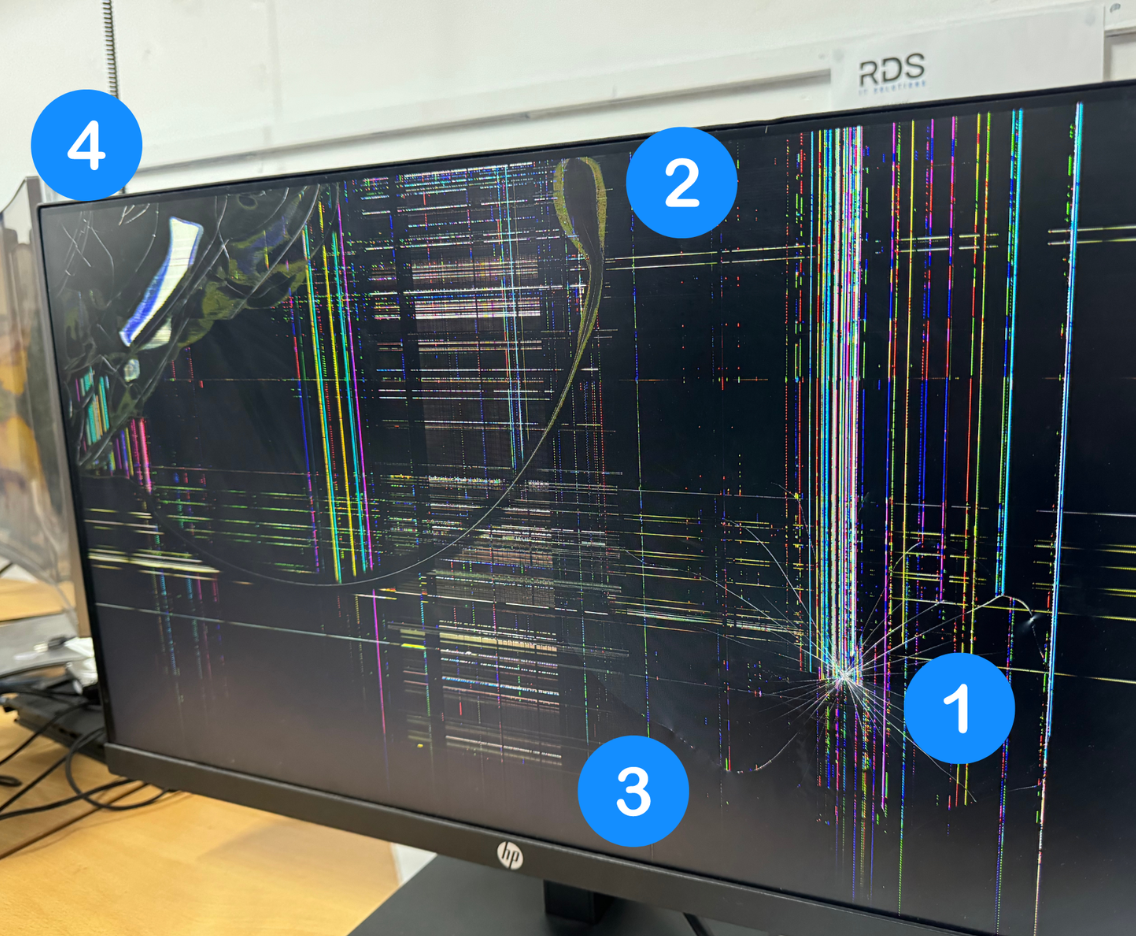
A cracked screen usually happens after impact or pressure. Even a small crack can spread quickly and affect the entire display.
Signs include:
-
Visible cracks or shattered glass
-
Black blotches spreading across the screen
-
Parts of the display becoming unresponsive
Flickering or Glitching Display
If your screen flickers, flashes, or changes brightness randomly, the issue may be caused by:
-
A failing LCD panel
-
Loose display cable
-
Graphics driver issues
A technician can quickly determine whether the screen itself needs replacement.
Lines Across the Screen
Vertical or horizontal lines are often caused by internal screen damage.
You might notice:
-
Colored lines across the display
-
Distorted images
-
Sections of the screen not displaying properly
Dead Pixels or Dark Spots
Dead pixels appear as tiny black or colored dots that never change.
While a few pixels may not seem serious, clusters of dead pixels often mean the screen panel is failing.
What Causes Laptop Screen Damage?
Laptop screens are thin and delicate. Even small accidents can damage the display panel.
Common causes include:
Drops or impacts
Dropping a laptop is the most common reason for cracked screens.
Pressure on the screen
Closing the laptop with an object inside or placing heavy items on top can break the display.
Liquid damage
Spilled drinks can seep into the display panel and cause permanent screen issues.
Manufacturing wear over time
Older screens sometimes fail after years of daily use.
If your display suddenly stops working, it’s best to have it inspected quickly to prevent further damage.
Laptop Screen Repair Cost in Los Angeles
One of the first questions people ask is: How much does laptop screen repair cost in Los Angeles?
The price depends on several factors.
Average Laptop Screen Repair Cost
Typical price ranges:
| Laptop Type | Estimated Repair Cost |
|---|---|
| Standard laptops | $120 – $250 |
| Touchscreen laptops | $200 – $400 |
| MacBook screens | $350 – $700 |
Costs vary depending on the screen type, laptop model, and part availability.
Professional technicians can provide an accurate estimate after inspecting the device.
For additional consumer guidance on repair services, you can also review resources from the Better Business Bureau, which offers advice on choosing reputable repair providers.
Factors That Affect Repair Pricing
Several things influence the cost of laptop display repair.
Laptop Brand and Model
Some screens are easier to source than others. Common brands like Dell, HP, and Lenovo often have lower repair costs because replacement parts are widely available.
Premium laptops like MacBooks or high-resolution displays usually cost more.
Screen Type
Different laptops use different display technologies.
Examples include:
-
LCD screens
-
LED screens
-
Retina displays
-
Touchscreens
Touchscreen panels are typically more expensive to replace.
Screen Size
Larger screens require bigger panels, which increases part costs.
A 17-inch screen replacement will usually cost more than a 13-inch one.
For general repair pricing comparisons, resources like RepairClinic provide industry-wide estimates for parts and repairs.
How Long Laptop Screen Repair Takes
Another common question is: How long does laptop screen repair take?
In most cases, screen replacements are relatively fast.
Typical Repair Timeline
Most repairs take:
Same day to 24 hours
A professional technician can often complete the repair within 1–2 hours once the correct replacement screen is available.
Situations That May Take Longer
Some repairs may require extra time if:
-
The laptop model requires special parts
-
The screen must be ordered
-
Additional damage is discovered inside the device
Even in these situations, repairs are usually completed within 1–3 business days.
Is It Worth Repairing a Laptop Screen?
Many people wonder if repairing a laptop screen is worth the investment.
In most cases, yes.
Screen repair is usually far cheaper than replacing the entire laptop, especially if the device still performs well.
Repair is often recommended if:
-
The laptop is less than 4–5 years old
-
The device still runs quickly
-
Only the display is damaged
Replacing the screen can restore the laptop to full functionality at a fraction of the cost of buying a new computer.
Tips to Prevent Laptop Screen Damage
While accidents happen, a few simple habits can help protect your laptop display.
Use a Protective Laptop Case
A padded sleeve helps prevent impact damage during travel.
Avoid Closing the Laptop on Objects
Even small items like pens or charging cables can crack a screen when the lid closes.
Handle the Laptop with Both Hands
Holding a laptop by the corner can place pressure on the display frame.
Clean the Screen Properly
Use a microfiber cloth and avoid pressing hard on the screen.
Taking these precautions can significantly extend the life of your laptop display.
Professional Laptop Screen Repair in Los Angeles
If your laptop screen is cracked, flickering, or completely black, professional repair can quickly restore your device.
A technician can:
-
Diagnose the exact screen issue
-
Replace the damaged display panel
-
Test the laptop to ensure full functionality
Most laptop screen repairs are straightforward and completed quickly when handled by experienced technicians.
If you’re experiencing display issues, getting a professional inspection can help prevent the problem from getting worse.
Conclusion
Laptop screen damage can be frustrating, but it doesn’t necessarily mean you need a new computer. In many cases, laptop screen repair in Los Angeles is affordable, fast, and highly effective.
By understanding the repair cost, timeline, and common causes of screen damage, you can make an informed decision and get your device working again as soon as possible.
If your display is cracked, flickering, or not turning on at all, professional repair services can quickly bring your laptop back to life.