

If your device suddenly starts making unusual sounds, it’s not something to brush off. A computer making noise often signals underlying hardware issues that can worsen quickly if left unchecked, so knowing when to seek computer making noise repair is important.
From clicking and grinding to loud fan noises or random beeps, each sound tells a different story. Understanding these warning signs can help you act early—and potentially save your data and hardware.
Common Computer Noises and What They Mean
1. Clicking Sounds (The “Click of Death”)
A repetitive clicking sound is one of the most serious warning signs and often means your computer may need making noise repair.
What it usually means:
- Failing hard drive (HDD)
- Read/write head malfunction
- Imminent data loss
What to do:
- Stop using your computer immediately
- Back up data if possible
- Contact a professional repair service
👉 This is not a DIY fix. Continuing to use your computer can permanently destroy your files.
2. Grinding or Scraping Noises
Grinding sounds often come from moving components like fans or drives. If you have a computer making noise, repair may be needed for these parts before permanent damage occurs.
Possible causes:
- Dust buildup in fans
- Worn-out bearings
- Misaligned internal components
What to do:
- Shut down your device
- Avoid further use to prevent overheating
- Schedule an inspection
If ignored, this can lead to overheating and permanent hardware damage.
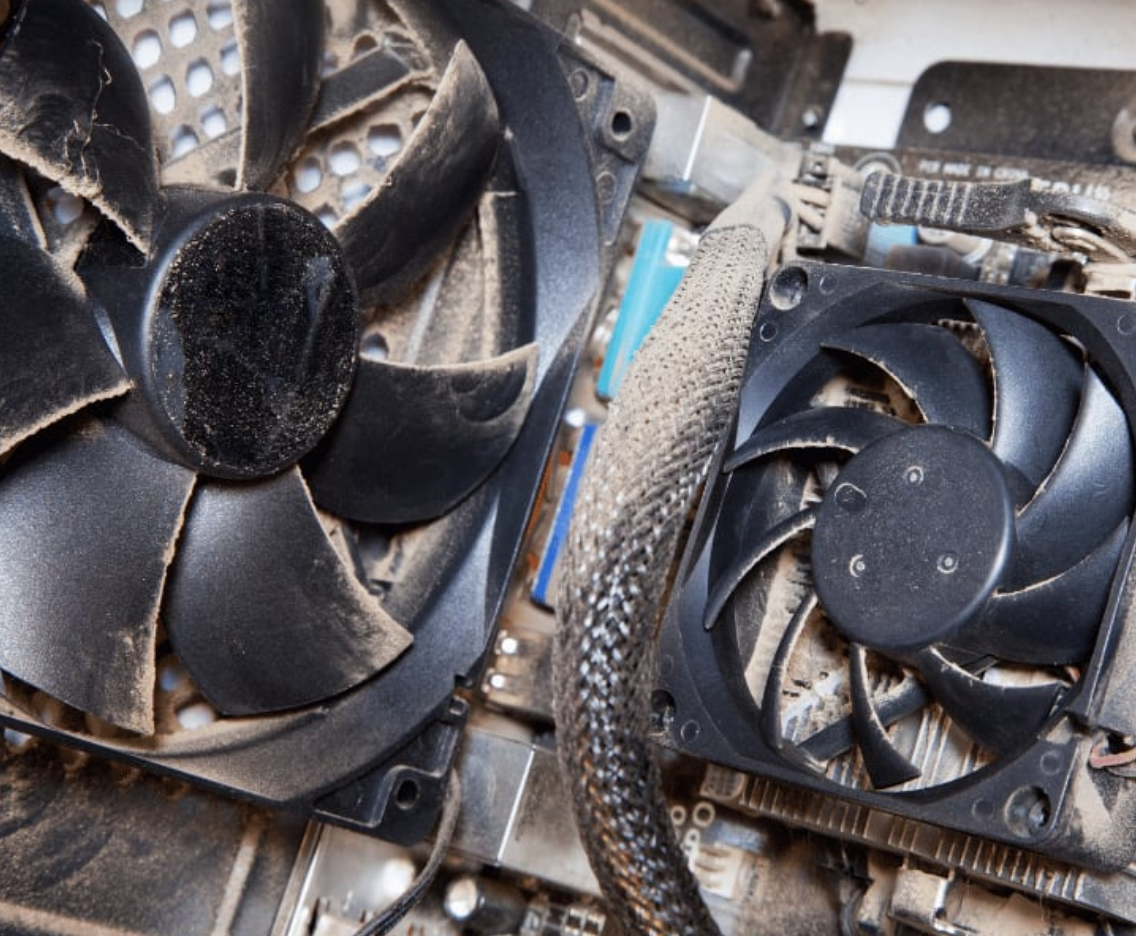
3. Loud Fan Noise (Constant or Sudden)
A loud fan is one of the most common complaints in computer making noise repair cases. Many users struggle with their computer making excessive noise and search for quick repair solutions.
What it indicates:
- Overheating system
- High CPU usage
- Poor ventilation or airflow
Quick fixes:
- Close unused applications
- Check for malware
- Clean vents and fans
If the issue persists, it may require internal cleaning or thermal paste replacement. When these efforts don’t help, computer making noise may require professional repair services.
4. Beeping Sounds at Startup
Beeping during startup is your computer’s way of communicating hardware issues. In cases where a computer is making unusual noise, repair might resolve underlying component failures.
Common problems:
- RAM failure
- Motherboard issues
- GPU problems
Each beep pattern has a meaning. You can reference technical definitions from TechTerms to decode them.
5. Buzzing or Electrical Sounds
Buzzing or humming sounds can come from electrical components. Sometimes, computer making noise repair focuses on isolating these electronic faults.
Possible causes:
- Power supply issues
- Coil whine from GPU
- Loose internal connections
What to do:
- Turn off your computer
- Avoid opening it unless trained
- Seek professional diagnostics
For safety practices, refer to Occupational Safety and Health Administration guidelines o
n handling electrical equipment.
When Should You Call a Professional?
You should stop troubleshooting and seek expert help if your device needs computer making noise repair—especially when typical fixes don’t solve the issue.
- The noise is getting louder or more frequent
- Your computer is overheating or shutting down
- You hear clicking or grinding sounds
- Your system won’t boot properly
Delaying repairs can turn a minor issue into a costly replacement.
Preventing Computer Noise Issues
The good news is that most of these problems are preventable. With computer making noise repair in mind, consistent care can eliminate most unwanted sounds.
Follow these simple steps:
- Clean internal components every 3–6 months
- Keep your device in a well-ventilated area
- Avoid overloading your system
- Schedule regular maintenance checks
In the long run, prevention is always more affordable than repair. Monitoring your computer making noise can help avoid unexpected repairs.
Final Thoughts: Listen Before It’s Too Late
A noisy computer is more than just annoying—it’s a warning sign. Whether the issue is a failing hard drive, overheating fan, or electrical fault, early action makes a big difference. Very often, computer making noise repair prevents bigger issues from developing.
If your computer is making unusual sounds and you’re unsure what to do, it’s best to have it checked by professionals—especially if you rely on it for work or daily use.