
Security Cameras & DVR
Security Cameras and DVR Systems in Los Angeles
See your home or business live from your phone, record what happens and play it back when you need it. We assess your property and recommend the right camera system.
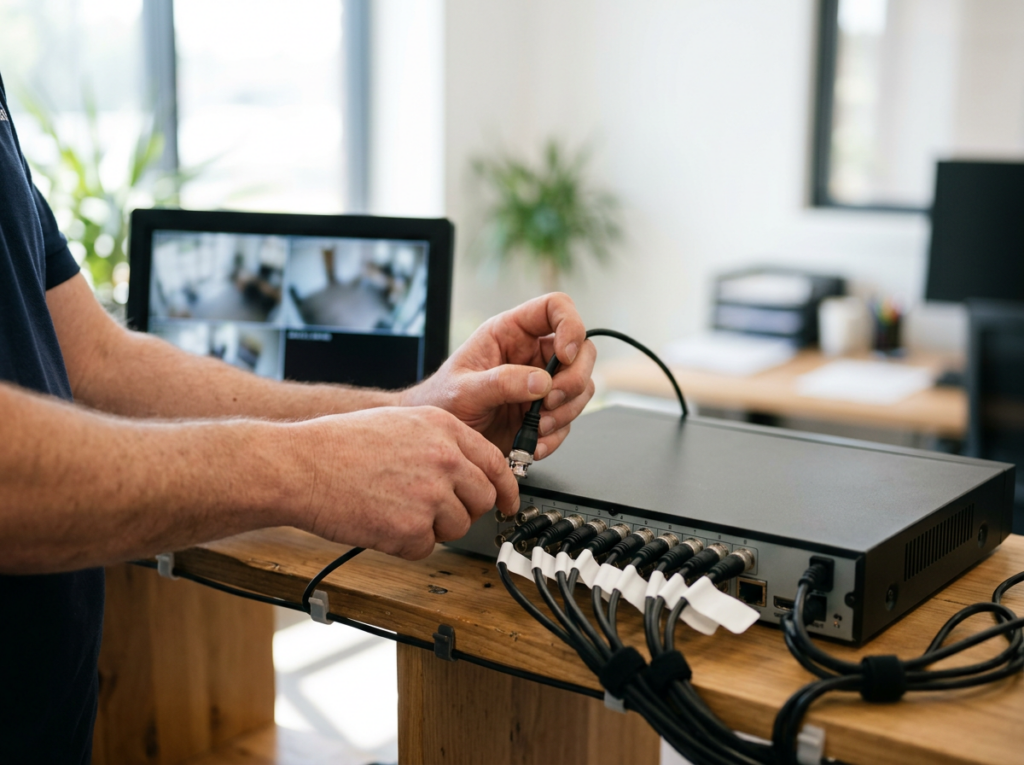
Keep an Eye on What Matters
A camera system lets you watch your property in real time and keeps a recorded history you can review if something happens. Visible cameras can also discourage intruders in the first place.
Mobile Computer Repair helps homeowners and businesses choose the right system. We look at how many cameras you need, how much footage you want to keep, the picture quality you need, and whether you want motion detection and remote viewing — then recommend a system to match.
Already have cameras? We'll help you work out whether a DVR (for analog cameras) or an NVR (for IP cameras) fits your setup.

Why Install a Security Camera System?

Watch Live From Anywhere
View your cameras on a monitor, computer or smartphone.

Record What Happens
Continuous or motion-triggered recording captures events.

Review and Search Footage
Play back recordings to find exactly what happened.

Keep Evidence
Stored footage gives you a record if you need it.

Deter Intruders
Visible cameras can discourage break-ins.
Our Security Camera Services
Every system starts with understanding your property.


Assessment
01 · Assessment
Security Needs Assessment
Every property is different. We start by understanding yours.
What's included
- How many cameras you need
- How long you want to keep footage
- The resolution you need
- Whether you want motion detection and remote access

No overspending on cameras you don't need — and no blind spots you do.


Recommendation
02 · Recommendation
System Recommendation
We match the system to your needs and your existing equipment.
What's included
- Recommending a DVR system for analog cameras
- Or the right alternative for IP cameras
The right technology the first time.


Smart Home
03 · Smart Home
Smart-Home Cameras and Video Doorbells
Prefer app-based cameras for your home?
What's included
- Nest, Ring and Alexa-compatible cameras and video doorbells
- Set up as part of a smart-home system
What Your Camera System Can Do
How long footage is kept depends on the system's storage — we'll size it to how long you need.

Live Viewing
Watch cameras in real time on a monitor, computer or smartphone.
Motion-Triggered Recording
Record when movement is detected, or record continuously.
Stored Footage
Keep recordings for later; how long depends on the system's storage.
Playback and Search
Find and review specific events.
Remote Access
Check in on your property from anywhere with an internet connection.
DVR or NVR: Which Do You Need?
Both record your cameras; the difference is the camera type. If you already have cameras, the type you own usually decides which recorder you need — we'll help you work it out.
DVR
Digital video recorder
Works with analog cameras connected by coaxial cable and converts their signal to digital.

NVR
Network video recorder
Works with IP cameras that connect over your network.

Security Cameras for Your Home
Check on your home, family and deliveries from your phone wherever you are. We'll help you choose between a recorded camera system and app-based smart cameras and video doorbells, based on your home and how you want to use it.
Plan My Home System →
Camera Systems for Businesses
Protect your storefront, office or stockroom with recorded video you can review when something goes wrong. We size the system to your space and match storage to how long you need to keep footage, with remote viewing so you can check in after hours.
Plan My Business System →How We Deliver Camera Systems

Onsite Assessment
We look at your property in person.

Free Consultation by Phone
Talk through your needs first.
How It Works
1
Free consultation
What you want to protect and why.
2
Onsite assessment
Camera count, coverage, storage and resolution.
3
Recommendation and quote
The right system, with the cost before work.
Why Choose Us for Security Cameras
Tailored to Your Property
Recommendations based on an assessment, not a fixed package.
Analog or IP — We'll Advise
We help you pick a DVR or NVR to fit your cameras.
Home and Business
From a front-door camera to a storefront system.

Licensed, Bonded and Insured
Trusted on your property.
Related Services
Home Automation
Smart cameras, doorbells and alarms.
Learn More →
Network & Wi-Fi Setup
Reliable network for remote viewing.
Learn More →
Firewall & Network Security
Keep cameras off-limits to intruders.
Learn More →
Business Phone Systems
Another office system we install.
Learn More →
Managed IT Services
Ongoing business IT support.
Learn More →Security Cameras Across Los Angeles
We help homes and businesses with camera systems throughout Los Angeles, the San Fernando Valley and Thousand Oaks.
Security Camera FAQs
?
Can I watch my cameras from my phone?
?
Can I watch my cameras from my phone?
Yes. Many systems offer remote access so you can view live and recorded video from a smartphone or computer.
?
What's the difference between a DVR and an NVR?
?
What's the difference between a DVR and an NVR?
A DVR records analog cameras connected by coaxial cable; an NVR records IP cameras connected over your network.
?
How much footage can I store?
?
How much footage can I store?
It depends on the recorder's storage and settings — anywhere from hours to days or more. We'll size storage to how long you need to keep footage.
?
Do the cameras record all the time?
?
Do the cameras record all the time?
They can record continuously or only when motion is detected.
?
Do you offer smart cameras and video doorbells?
?
Do you offer smart cameras and video doorbells?
Yes, as part of our <a href="
?
Do you do business camera systems?
?
Do you do business camera systems?
Yes — for storefronts, offices and other business spaces.
?
What areas do you serve?
?
What areas do you serve?
Los Angeles, the San Fernando Valley and Thousand Oaks.
See Your Property From Anywhere
Tell us what you want to protect. We'll assess your space and recommend a camera system that fits.