
Network & Wi-Fi Setup
Wi-Fi and Network Setup in Los Angeles
Slow speeds, dropped connections or rooms with no signal? We install, repair and secure routers and Wi-Fi for homes and offices — onsite.
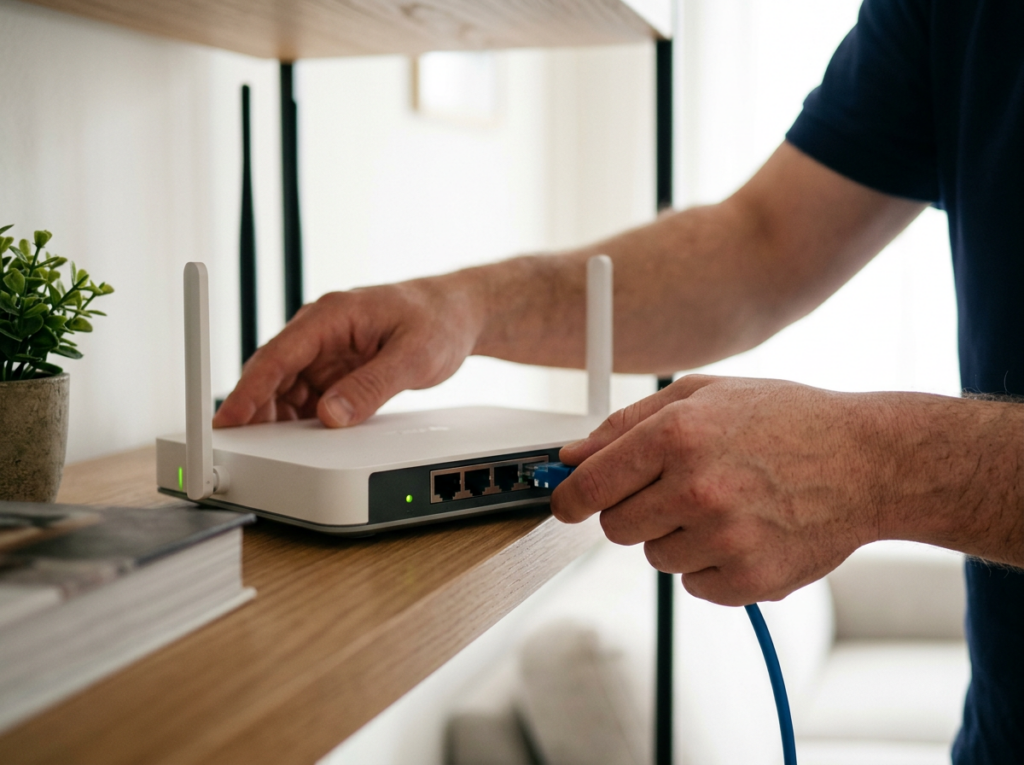
Reliable Internet in Every Room
Your router is the traffic controller for everything online — laptops, phones, TVs and smart devices. When it's misconfigured, outdated or in the wrong spot, everything slows down.
Mobile Computer Repair sets up, repairs and secures home and office networks. We check your connection's speed, signal strength and security, fix the cause, and extend coverage to the rooms that need it. Setting up from scratch? We install and configure new routers and connect every device.
Tell us what's happening — we'll diagnose it free and give you a price before any work.

Network Problems We Fix

Slow Internet
Pages crawl, video buffers, downloads stall.
Fix: Router configuration, firmware updates, channel changes

Wi-Fi Dead Spots
Some rooms get weak or no signal.
Fix: Coverage extension and better router placement

Dropped Connections
Devices keep disconnecting.
Fix: Router repair or replacement, interference fixes

No Internet at All
Modem or service failure.
Fix: Modem repair, internet service troubleshooting

New Device Won't Connect
A computer, printer or storage device won't join the network.
Fix: Adding devices to your network

Unsecured Wi-Fi
Default passwords or no encryption.
Fix: Encrypted Wi-Fi and router security setup

Office Network Slowdowns
The network can't keep up with your team's computers.
Fix: Network configuration and troubleshooting
Our Network and Wi-Fi Services
Every service is done onsite, at your home or office.


Installation
01 · Installation
Router Installation and Setup
A new router only performs well when it's set up properly.
Problems we fix
- A new router
- A new home or office
- A router that was never configured right
What's included
- Installing and configuring your router
- Connecting your devices
- Setting up a secure Wi-Fi network

Fast, stable internet from day one.


Repair
02 · Repair
Router Repair and Troubleshooting
Slowdowns and drop-outs usually have a fixable cause.
Problems we fix
- Slow speeds
- Spotty connections
- Outdated firmware
- Too many devices
- Wireless interference
What's included
- Diagnosing and repairing router problems
- Firmware updates
- Settings changes
Your existing equipment working the way it should.

Coverage
03 · Coverage
Wi-Fi Coverage and Dead-Spot Fixes
Weak signal in the bedroom or back office? We get it everywhere you need it.
Problems we fix
- Rooms with weak or no signal
What's included
- Checking Wi-Fi distance and signal strength
- Curing dead spots
- Extending the network throughout the building
Reliable Wi-Fi in every room.


Modem & Internet
04 · Modem & Internet
Modem and Internet Service Troubleshooting
Sometimes the problem is before the router.
Problems we fix
- A faulty modem
- No internet service
What's included
- Repairing modem problems
- Troubleshooting internet service
You're back online without hours on hold with your provider.

Wi-Fi Security
05 · Wi-Fi Security
Wi-Fi Security
An open network invites strangers in.
Problems we fix
- Default passwords
- No encryption
What's included
- Encrypting your wireless network
- A router security check
- Firewall management
- 802.1x wireless authentication for businesses
Only the people you trust can connect.


Devices & Storage
06 · Devices & Storage
Adding Devices and Network Storage
Grow your network without the headaches.
Problems we fix
- New computers, printers or storage devices that won't connect
What's included
- Adding computers and devices to your existing network
- Installing a network storage device (NAS) that backs up your files automatically and sends them to the cloud
Shared files, automatic backups, everything connected.

Office Networks
07 · Office Networks
Office Network Setup and Troubleshooting
Offices depend on a network that keeps up.
Problems we fix
- Slow office networks
- Lost connections
- Networks that weren't built to grow
What's included
- Configuring and troubleshooting office networks of all sizes — routers, switches and firewalls
- Setting up secure networks ready for future needs
- Work scheduled for quieter hours
A network that supports your team instead of slowing it down.
Routers and Wi-Fi Systems We Work With
We install and repair routers and Wi-Fi systems from these brands. Have a different brand? Call and we'll confirm.
TP-Link
NETGEAR
ASUS
Ubiquiti
Synology
Google Nest Wifi
eero

Home Wi-Fi That Works Everywhere
Streaming, gaming, homework and video calls all compete for the same connection. We find out why your Wi-Fi is slow or patchy, extend coverage to every room, secure the network and connect your devices — and if you work from home, we make sure your office corner gets a strong signal too.
Book a Home Visit →
Office Network Setup for Businesses
A slow office network wastes every employee's time. We configure routers, switches and firewalls, troubleshoot slowdowns and lost connections, and build secure networks that can grow with you. When fixing the network means taking it offline, we schedule the work for a quieter time. For ongoing support, ask about managed IT.
Get Business Network Help →How We Deliver Network Service

Onsite
A technician checks and fixes your network in person.

By Appointment, Including Off-Peak for Businesses
We schedule around you.

Phone Help
Describe the problem for a preliminary diagnosis and price.
How It Works
1
Call and describe the problem
Get a preliminary price.
2
Onsite check
Speed, signal strength, coverage and security tested.
3
Clear plan and price
You approve it before any work.
4
Fix, set up or extend
Router configured, coverage extended, devices connected, network secured.
5
Tested and covered
We confirm everything works; network setup carries our 90-day warranty.
Why Choose Us for Network Setup
We Test, Not Guess
We measure speed, signal and security before changing anything.
Works With Major Brands
TP-Link, NETGEAR, ASUS, Ubiquiti, Synology, Google Nest and eero.
Security Built In
Encrypted Wi-Fi and router security on every setup.
Home and Office
From one apartment to a multi-room office network.

90-Day Warranty
Network and internet setup is covered.

Licensed, Bonded and Insured
Protection while we work in your space.
Quick Fixes to Try First

Restart your router
Unplug it, wait, then plug it back in.

Update the firmware
Install your router's latest firmware.
Move it to a central spot
Place the router centrally, out in the open.
Change the Wi-Fi channel
Helps if neighbors' networks interfere.

Secure it
Change the default password and use WPA2 or newer encryption.
Still not working? Call 888-437-0579.
Related Services
Firewall & Network Security
Business firewalls, VPN and security assessments.
Learn More →
Computer Repair
When the computer, not the network, is the problem.
Learn More →
Business Phone Systems
VoIP phones on your network.
Learn More →
Security Cameras & DVR
Cameras with remote viewing.
Learn More →
Home Automation
Smart devices that need solid Wi-Fi.
Learn More →
Cloud Services
Cloud backup for network storage.
Learn More →Network and Wi-Fi Service Across Los Angeles
We set up and repair home and office networks throughout Los Angeles, the San Fernando Valley and Thousand Oaks.
Network & Wi-Fi FAQs
?
Why is my Wi-Fi so slow?
?
Why is my Wi-Fi so slow?
Common causes are outdated router firmware, too many devices at once, wireless interference or a router in the wrong place. We test and fix the actual cause.
?
Can you fix Wi-Fi dead spots?
?
Can you fix Wi-Fi dead spots?
Yes. We check signal strength around your home or office and extend coverage where it's weak.
?
Which router brands do you support?
?
Which router brands do you support?
TP-Link, NETGEAR, ASUS, Ubiquiti, Synology, Google Nest Wifi and eero.
?
My internet is completely down. Can you help?
?
My internet is completely down. Can you help?
Yes. We troubleshoot modems and internet service and can repair a faulty modem.
?
Can you secure my Wi-Fi?
?
Can you secure my Wi-Fi?
Yes. We encrypt your wireless network and check your router's security settings.
?
Do you set up office networks?
?
Do you set up office networks?
Yes — routers, switches and firewalls for networks of all sizes, scheduled around your business hours when needed.
?
Can you set up network storage for backups?
?
Can you set up network storage for backups?
Yes. We install network storage (NAS) that backs up your files automatically and sends them to the cloud.
?
Is the work guaranteed?
?
Is the work guaranteed?
Yes. Local network and internet setup is covered by our 90-day warranty.
?
What areas do you serve?
?
What areas do you serve?
Los Angeles, the San Fernando Valley and Thousand Oaks.
Tired of Slow, Patchy Wi-Fi?
Call now. We'll find the cause and fix it at your home or office.