
Business Server Support
Business Server Support in Los Angeles
Windows Server repair, maintenance, upgrades and migrations — so the system your whole office depends on stays available and secure.
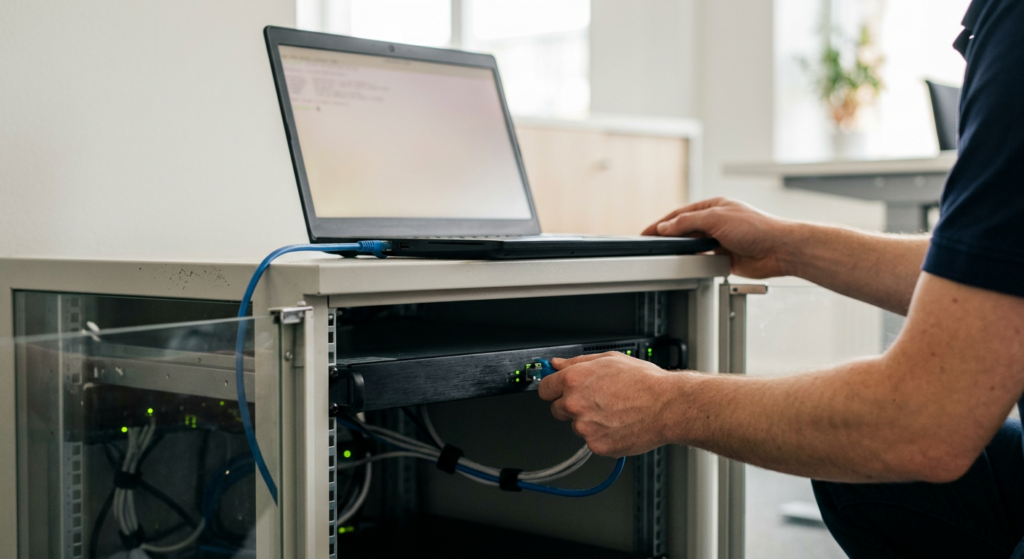
Keep the Heart of Your Office Running
Your server stores shared files, runs email and business software, controls who can log in and lets staff connect from outside. When it slows down or fails, everyone stops.
Mobile Computer Repair keeps business servers running. We repair and maintain Windows Server systems, support the roles they run — from file sharing and email to VPN and directory services — and plan upgrades and migrations when an older server needs replacing.
Regular management and maintenance get more from your investment and keep the system available and reliable.

When to Call Us

Server Down or Crashing
Nobody can reach shared files, email or business apps.

Slow File Access
Opening and saving shared files takes forever.

Aging Windows Server
Your server runs an older Windows Server version and it's time to plan what's next.

Remote Access Problems
Staff can't connect to the office from home.

Login or Permission Errors
Users can't sign in or reach the folders they need.

Business Software Issues
QuickBooks, ERP or CRM systems on the server misbehaving.

Our Server Support Services
Repair, upkeep and upgrades — done onsite at your office.


Repair
01 · Repair
Server Repair and Troubleshooting
When the server fails, we find the cause and get it back online.
What's included
- Diagnosing and repairing Windows Server problems
- From hardware faults to configuration and software errors

Less downtime for the whole office.


Maintenance
02 · Maintenance
Server Maintenance and Management
Most server outages are preventable.
What's included
- Ongoing management and maintenance
- Keeping your server available, reliable and up to date
More value from your infrastructure investment.


Upgrades
03 · Upgrades
Windows Server Upgrades and Migrations
Running an older Windows Server? We'll help you decide what's next.
What's included
- Assessing your needs
- Evaluating whether a newer Windows Server version is the right fit
- Managing a smooth migration
Stronger security and fewer surprises from unsupported software.


Server Roles
04 · Server Roles
Server Role Setup and Support
We support the services your server provides to your team.
What's included
- File, print and SharePoint servers
- Email, terminal and remote access servers
- Directory services, DNS and web servers
Everything your staff relies on, working together.

Business Apps
05 · Business Apps
Business Application Support
Business software often lives on the server.
What's included
- QuickBooks
- ERP and CRM systems
- MRP systems for manufacturing
- Database systems
The software that runs your business stays available.

Backup & Recovery
06 · Backup & Recovery
Server Backup and Data Recovery
Protect what's on the server — and recover it if something goes wrong.
What's included
- Network backup
- Server and RAID data recovery
What Your Server Does — and What We Support

Files and Collaboration
File and print servers; SharePoint
Shared folders, printers and team documents in one place.

Email and Communication
Email servers; streaming media servers
Company email and internal media.
Remote Access
Terminal servers; remote access and VPN servers
Staff work securely from home or the road.

Identity and Network
Directory services and DNS; 802.1x wireless
Who can log in, and how devices find each other.

Web
Web servers and web application services
Internal and public web apps.

Security
Security systems; firewalls and routers; Encrypting File System
Keeping data and access protected.

Server Support for Small and Mid-Size Businesses
Many small businesses don't have a full-time IT person. They have one or two servers handling files, email, accounting software and remote access — and they need someone who understands all of it. Manufacturers running MRP systems, offices on QuickBooks or ERP, and teams that work remotely all depend on a healthy server.
Get Server Help →How We Deliver Server Support

Onsite Repair and Maintenance
Technicians work on your server at your office.
Ongoing Management
Regular maintenance and monitoring, standalone or as part of managed IT.
Upgrade and Migration Projects
Assessment, planning and migration.
How Server Support Works
1
Call us
Describe the problem or the project.
2
Assessment
We review your server, its roles and its condition.
3
Plan and price
Repair, maintenance or upgrade, with the cost before any work.
4
Do the work
Repairs, maintenance or migration, tested before your team switches over.
5
Keep it healthy
Ongoing management available.
Why Businesses Trust Us With Their Servers
Windows Server Experience
Specialists with extensive Windows Server repair experience.
Every Role Covered
File, email, VPN, directory, web and SharePoint servers.
Business Software Know-How
QuickBooks, ERP, CRM and MRP systems supported.
Upgrade Without the Chaos
Assessment, migration and testing before switch-over.
Recovery When It Matters
Server and RAID data recovery when a failure strikes.

Licensed, Bonded and Insured
Trusted with your most critical system.
Related Services

Managed IT Services
Ongoing monitoring and management.
Learn More →
Cloud Services
Move workloads or backups to the cloud.
Learn More →
Data Recovery
Server and RAID recovery.
Learn More →
Firewall & Network Security
Firewalls, VPN and assessments.
Learn More →
Business IT Consulting
Plan upgrades and budgets.
Learn More →Server Support Across Los Angeles
We support business servers throughout Los Angeles, the San Fernando Valley and Thousand Oaks.
Server Support FAQs
?
Should we upgrade our old server?
?
Should we upgrade our old server?
If it runs a Windows Server version that's out of Microsoft support, upgrading reduces security risk. We'll assess your needs and tell you whether an upgrade is the right move.
?
What does a server migration involve?
?
What does a server migration involve?
We assess your current server and its roles, plan the move, migrate your data and services, and test everything before your team switches over.
?
Do you support QuickBooks, ERP or CRM systems on our server?
?
Do you support QuickBooks, ERP or CRM systems on our server?
Yes.
?
Can you set up VPN or remote access for staff?
?
Can you set up VPN or remote access for staff?
Yes. We support remote access, VPN and terminal servers.
?
Do you handle Active Directory and DNS?
?
Do you handle Active Directory and DNS?
Yes — directory services and DNS are among the server roles we support.
?
Can you recover data from a failed server?
?
Can you recover data from a failed server?
Yes. Our data recovery service covers server and RAID storage.
?
Can you manage our server on an ongoing basis?
?
Can you manage our server on an ongoing basis?
Yes, through regular maintenance or our managed IT services.
?
What areas do you serve?
?
What areas do you serve?
Los Angeles, the San Fernando Valley and Thousand Oaks.
Keep Your Server — and Your Business — Running
Whether it's down now or due for an upgrade, call us. We'll assess it and give you a clear plan and price.